Sitefinity

Resources for Webinar “Top 5 Features Customers Love about Sitefinity “

On Nov 19 2015, we conducted one more webinar. This blogs post is recap of the webinar. The topic for the webinar was “Top 5 Features Customers Love About SiteFinity”. If you missed attending the webinar live or you had to leave the webinar early – this blog post will provide you a chance to recap.

Continue reading

Cordova Logo

How To: Use Pre-populated SQLite DB in your Hybrid Apps

In my job as an Evangelist, i speak to numerous customers of ours. Many a times the customer is in an evaluation mode. They are trying out our tools and have plenty of questions on their mind. My job is to talk to them, understand their problem and provide a solution. I must say I love this exercise, as i get to hear a new problem with every new customer we talk to. Figuring out a solution to a challenge is always a happy moment. Today we discuss one such problem that a customer was facing with respect to Hybrid Mobile Apps.

Continue reading

Telerik NativeScript

Resources for Webinar “Building Native Mobile Apps with NativeScript + Push Notifications”

On Oct 29 2015 we conducted our monthly webinar for the month of Oct. This time we were culminating our NativeScript India Tour with this webinar. This webinar was all about a quick recap of what NativeScript is and how you get started with it. Then followed by how to use Push Notification – one of the important aspect of any mobile app – using NativeScript + Telerik Backend. This blog post it to recap the webinar and you will find the Slidedeck used during the webinar and also the video recording.

Continue reading

Telerik Platform

Resources for Webinar “Consume Azure Mobile Services in Telerik Platform”

On Aug 27 2015, we conducted one more webinar as part of Telerik India. This time we talked about how to “Consume Azure Mobile Services in Telerik Platform“. This blog post is a recap of the webinar. You will find the video recording of the webinar in this blog post.

About Telerik Platform:

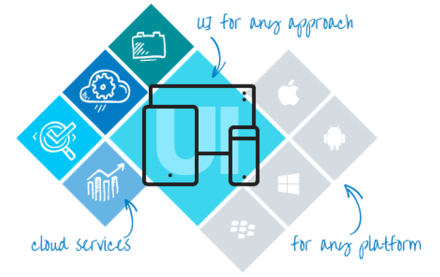
Telerik Platform is a modular platform for web, hybrid and native development that integrates a rich set of UI tools with powerful cloud services. This end-to-end development and project management solution provides tools and services for every stage of your application lifecycle – from idea to deployment and on-device performance.

Telerik Platform

You can know more about Telerik platform here.

Video Recording:

Here is the video recording of the webinar:


There is no slide deck for this webinar. I did not use any slide deck and did most of the things hands on.


Till next time – Happy Coding.

ES6

Resources for Webinar “10 Useful New Features of ECMAScript 6”

On Aug 20 2015 we did a webinar titled “10 Useful New Features of ECMAScript 6”. This blog post is a recap of the webinar. You will find the slide deck used in the webinar and the video recording of the webinar in this blog post.

ES6

ES6

Slide Deck:

Here is the slide deck used in the webinar:

Video Recording:

We record our webinars so that you can view them at your leisure time. So here is the video recording of this webinar:

Hope you like the webinar. Do let us know if you have any feedback/suggestion for us.

Kendo UI

Resources for Webinar – “Creating Responsive Design for Enterprise Web Applications with Bootstrap and Kendo UI”

On Aug 13 2015 we conducted one more webinar as part of Telerik India. This time we talked about “Responsive Design for Web Applications with Bootstrap & Kendo UI”. In this webinar we showcased how Kendo UI is responsive out of the box and also how Kendo UI integrates with Bootstrap.

About Kendo UI:

Kendo UI is a flagship product from Telerik. Kendo UI is a HTML5 based client side JavaScript UI framework. Kendo UI contains over 70+ Web/DataViz/Mobile widgets. You can know more about Kendo UI here: http://www.telerik.com/kendo-ui. Kendo UI demos are available online here: http://demos.telerik.com/kendo-ui.

Kendo UI

Kendo UI


Slide Deck:

It was one of those webinar where i did not use a slide deck. So no decks to put up here :).


Video Recording:

Here is the video recording of the webinar. You can view this recording at your leisure time:


Hope you like the webinar. Do let us know if you have any feedback/suggestion.

Till next time – Happy Coding.

Telerik Mobile Platform

Resources for Webinar “New Enterprise Capabilities with Telerik Platform’

On July 30th, we conducted one more webinar. This time it was about our new Enterprise Capabilities you get with our Telerik Platform. This blog post is a recap of the webinar.

About Telerik Platform:

If you are new to Telerik Platform, do check out www.telerik.com/platform for more information on what is Telerik Platform and what you get with Telerik Platform. We accelerate each step of your mobile app development journey with our Platform. Telerik Platform is a set of Cloud Services that help you with your app prototyping, app building, mobile backend, app analytics, app testing, app management and app feedback. Do check out the product page for more information.

Telerik Platform

Telerik Platform


Slide Deck:

Here is the slide deck used in the webinar:


Video Recording:

As with any of our webinars, find below the video recording of this webinar for your future viewing:


Q & A:

Q: In ScreenBuilder, can we use our own images for the icons?
A: Not in the screen builder. But once screen builder has created the screen, the app can be opened in AppBuilder and code can be customized or tweaked according to your needs. Screen Builder gives you a jump start with scaffolding the screen.

Q: How much can we configure the item template in Data List view?
A: You can create your own custom template for the list view items in AppBuilder. The Screen Builder just creates a basic scaffolding of the list view and its items. You can then take over and customize the code in AppBuilder.

Q: For the connection between Telerik mBaaS and Data Link Server, is it via a certain port number only?
A: Nope. Telerik mBaaS needs a IP or domain which can be pinged from Internet. In the demo we ran our Data Link Server on a port # and exposed that to outside world.

Q: How testing is done in Telerik Platform?
A: You can do Mobile App Testing using our Telerik Mobile Testing Framework. Its a framework for writing test cases using JavaScript as a language and test Native/Hybrid/Mobile web application. Telerik Platform also provides Device Cloud to test on real devices.

Q: Can i use your platform to build the complete app with database support on your platform itself?
A: Yes, you can. In this scenario you will be utilizing our Backend Service for database & AppBuilder Service which is nothing but a IDE for developing Hybrid Mobile App.

Q: Can we connect this with Line of Business applications like SharePoint, CRM , SAP?
A: Yes you can. At the moment you will need to work with the REST API that the business applications provide. Sonn, over the course of the time, we will be adding Data Connector capability out of the box to many enterprise stores. Stay tuned.

Q: Is there a restriction in programming language used during mobileapp development?
A: Yes, we use HTML 5, JS and CSS for development of mobile apps – hybrid or native.

Q: Can we do it using visual studio or some kind of IDE?
A: Yes, the whole Telerik Platform is avaialble as an addin for Visual Studio. All capabilities discussed today can be accessed from a browser and VS. http://docs.telerik.com/platform/appbuilder/running-appbuilder/running-the-vse/appbuilder-vse

Hope this webinar was helpful to you and gave you an idea as to how fast you can become mobile with our Telerik Platform. We will be excited to know what you guys are building as part of your enterprise. Do get in touch with us for any information you may need on Telerik Platform.

ASP.NET vNext

Resources for webinar “Creating Custom HTML Helpers in ASP.NET MVC”

On Jul 9 2015 we finished yet another webinar. The webinar was titled “Creating Custom HTML Helpers in ASP.NET MVC”. This blog post is a recap of the webinar. If you had to miss the webinar due to unavoidable circumstances – this blog post is a chance to recap the webinar by going through the slide deck & the video recording.

Slide Deck:

Here is the slide deck i used in webinar:

Video Recording:

Here is the video recording of the webinar:

Hope you found the webinar topic helpful. Do let us know your suggestion/feedback on the webinar.

Till next time – Happy Coding !

Telerik Reporting

Resources for Webinar “Building and Delivering Reports from your Web and Mobile Apps with Telerik Reporting”

On Jun 25 2015 we finished one more webinar. This time we looked at “Building and Delivering Reports from your Web and Mobile Apps with Telerik Reporting”. This blog post is the recap of the webinar. You will find the slide deck and video recording of the webinar in his blog post.

Telerik Reporting:

Telerik Reporting is a reporting solution for all .NET cloud, web, and desktop platforms that provides a full range of ready-to-use tools and services to help people throughout your organization create, deploy, and use reports quickly and easily. With Telerik Reporting, you can retrieve data from relational, multidimensional, ORM or custom data layer based data sources; The ready reports can be viewed in various formats (including PDF, Microsoft Office Word and Excel and PowerPoint documents); and can be viewed with a dedicated viewer in a Web or .NET Desktop application.

Telerik Reporting

Telerik Reporting

you can know more about Telerik Reporting here: http://www.telerik.com/products/reporting.aspx. Demos of Reporting are also available online here: http://demos.telerik.com/reporting/home.aspx.

Slide Deck:

Here is the slide deck used in the webinar:

Video Recording:

And here is the video recording of the webinar. If you missed attending the webinar you can catch up at your leisure time by going through the recording below:

Hope you will like this webinar.

Till next time – Happy Coding !

Data Preparation Made Easy wit hEasyl

Resources for Webinar “Preparing Big Data for Analysis with Progress/Telerik Easyl”

IMPORTANT: Progress has since stopped active development on Easyl. 


We are back with one more webinar. On Jun 11 2015 we conducted a webinar titled “Preparing Big Data for Analysis with Progress/Telerik Easyl” at a new time. June & July month webinar will be held from 12PM to 1PM IST instead of 3PM IST. This blog post will provide you a recap of the webinar and you can catch up with the webinar in case you missed it live.

About Easyl:

HIGH-SPEED DATA PREPARATION YOU CAN DO YOURSELF – The slog of data preparation is over. What was slow and brutal, weighed down by days of Excel and email, is now fast and brilliant. For everyone. Business user, vendor, builder or partner — Progress Easyl puts you ahead of the pack. Modern, high-performance data preparation is now in your hands.

Data Preparation Made Easy wit hEasyl

Data Preparation Made Easy with Easyl

You can check out more information on Easyl here: Easyl

Slide Deck:

Here is the slide deck used in the webinar:


Q&A:

Q: What is Eloqua?
A: its a Marketing automation SaaS product from Oracle. Presenter is using that as one of the data source

Q: How Easyl help in Industry?
A: You can check out the features of Easyl here – https://www.progress.com/easyl/features. this will help you understand the capabilties of Easyl

Q: Hi Can we use this Easyl as DatASource for some other BI Tools Like Tableau?
Yes, tableau will be supported in the first GA release scheduled at the end of June-2015.

Q: How much amount of data space is provided by Easyl?
A: The data space depends on the plan your Easyl account is subscribed to. You can get information on Easyl plans at https://pacific.progress.com/cs-ui/service/plans after registering with Progress Pacific.

Q: Is it integrated with telerik test studio?
A: Progress Easyl is part of the Progress Pacific platform. It is not integrated with telerik test studio.

Q: Is SAP database supported in your tool ?
A: SAP is not currently supported.

Q: Is there any protection for data in Easyl?
A: Data generated in Easyl by a user can be accessed only by the owner and the sharees to whom the report is shared. All data is generated by the user is strictly bound to the particular user’s account.

Q: Can we secure data in Easyl?
A: Setting password for selected reports is not possible.

Q: One morething as you mentioned that it will be able to Map with Tableau so here Tableau will Be TableauAOnline Or in-premise Tableau Server?
A: Tableau Online.

Q: Will there be a DEC (from Telerik) data connector available?
A: DEC connector for easyl is currently not available currently.

Q: which cloud service is being used for storing data ?
A: Amazon EC2 instances.

Q: can you show the google analytics part in Easyl?
A: A tutorial of the google analytics integration will be available in the Easyl documentation after the GA release.

Q: Can we secure data in database with some passwords like MS Access?
A: Easyl user authentication is only available for the time being. Password protecting individual reports is not possible.

Q: How much amount of data space is provided by Easyl?
A: The data space depends on the plan your Easyl account is subscribed to. You can get information on Easyl plans in https://pacific.progress.com/cs-ui/service/plans after registering with Progress Pacific.

Q: Can Easyl be use as some sort of oData Server so that i can connect this with My TAbleau In Premise Server?
A: This is currently not possible. But you could generate your .tde files and work with your tableau desktop application.

Q: Is multi tenancy supported ?
A: Multitenancy is supported in the form of corporate accounts, where a bunch of account could be grouped and managed together using the Progress Pacific cloud services.

Q: Regarding Multi-tenancy ,  I am referring to data level multitenancy . For exampe,  If admin create a report and ihe would like to share the report with team for different location analyst but those user can see the data in report for the location  whch they have the access
A: Yes it is possible by using a corporate plan.

Q: Is this tool free?
A: It is available for a 30 day trial period, after which you’ll have to subscribe to a plan to resume working with full features.

Q: Can we attach easyl with developing softwares like Visual Studio?
A: No.

Q: How to open Easyl website?
A: You can register at https://pacific.progress.com/ . And select Easyl from the pacific from the console page.

Q: What is licensing cost ?
A: It depends on the plan your Easyl account is subscribed to. You can get information on Easyl plans at https://pacific.progress.com/cs-ui/service/plans after registering with Progress Pacific.

Q: How can I access Easyl
A: You can register at https://pacific.progress.com/ . And select Easyl from the pacific from the console page.

Q: Is there any support team for Easyl?
A: Yes. You could visit http://forms.progress.com/forms/ContactUs-v2 to contact our sales and service teams.

Q: Does Easyl offer some form of automatic removal of duplication of data, when say multiple datasources are used, say HubSpot and Google Analytics where journeys are obviously connected
A: Not currently.

Q: Can Easyl be installed & configured on any In-Premise Servers?
A: Easyl is available only as a cloud service. It cannot be installed as a standalone on-premise service.

Q: How can i beleive that my data is secure in easyl?
A: Data is secured in safe amazon instances which is closely monitored by an operations team.

Q: Can you show how to connect Easyl to SQL server
A: You just need to create a new datasource and enter the connection parameters in the SQL Server Datasource tab. Please refer documentation for details.

Q: In which fields, Easyl will be helpful?
A: Data Preparation for data analytics and business intelligence.

Q: does Easyl support RTL languages (Arabic) ?
A: Not currently.

Q: Is there any security for Easyl from virus attacks?
A: Data is secured in safe amazon instances which is closely monitored by an operations team to avoid any such attacks.


Hope you like the webinar & you will give Easyl a spin. Till next time – HappyCoding.


UI for ASP.NET AJAX

Resources for webinar “Create Word/Excel/PDF Documents in ASP.NET AJAX Web Apps using Telerik Tools”

On May 28 2015 we conducted one more webinar as part of our Thursday Webinar Series for Asia Pacific. This blog post is a recap of the webinar. You will be able to check out the slide deck that i used in the webinar and also the video recording of the webinar if you missed it live. This webinar was all about understanding how to create Word/Excel/PDF documents without installing either MS Office software of any PDF related software on your web server. Rather use our UI for ASP.NET AJAX suite and perform the document processing task.

UI for ASP.NET AJAX:

UI for ASP.NET AJAX is our complete toolbox for your ASP.NET AJAX based web applications. You get 70+ controls in this suite. The controls cater to almost any needs of your project. You can know more about our ASP.NET AJAX controls suite here: http://www.telerik.com/aspnet-ajax.

UI for ASP.NET AJAX

UI for ASP.NET AJAX


Slide Deck:

Here is the slide deck used for the webinar:


Video Recording:

Here is the video recording of the webinar. If you missed live webinar, you now have on demand viewing through the below recording.


Till next time – Happy Coding !

Telerik NativeScript

Resources for webinar “Build Truly Native Android & iOS Apps from Single JavaScript Codebase”

On Apr 30 2015, we conducted one more webinar titled “Build Truly Native Android & iOS Apps from Single JavaScript Codebase”. This blog post is a recap of the webinar. In this blog post you will be able to get hold of the slide deck & the video recording of the webinar.

About NativeScript:

NativeScript is a new technology that we i.e. Telerik have open sourced to the community. Using NativeScript you will be able to build truly native Android & iOS from a single code base with JavaScript as a language. You can know more about NativeScript from its home here: ww.nativescript.org.

Telerik NativeScript

Telerik NativeScript

Slide Deck:

Here is the slide deck used for the webinar:

Video Recording:

Here is the video recording of the webinar:

Additional Links:

Here are some more videos on NativeScript:

NativeScript Launch Keynote: https://www.youtube.com/watch?v=8hr4E9eodS4

How NativeScript Works: https://www.youtube.com/watch?v=I3_ZnWTj-NA

How to build Apps with NativeScript: https://www.youtube.com/watch?v=Glh927vSYKo


Till next time – Happy Coding.

Kendo UI

Resources for webinar “Adding Native Touches to your Hybrid Apps”

On Apr 23 2015 we conducted a webinar titled “Adding Native Touches to your Hybrid Apps”. This was part of our webinars we do here from Telerik India for APAC region. If you would like to know more about the webinars we do, head over to http://www.telerikhelper.net and look out for schedule announcement.

In this webinar i wanted to focus on how Hybrid Apps can make use of certain Cordova plugins which provide native functionality to your Hybrid Mobile App. The native functionality we looked at in this webinar are: Alerts, Confirm, Prompts, ActionSheet and SocialSharing.

Below you will find the slide deck & video recording of the webinar.

Slide Deck:

Video Recording:

T-Shirt Winners:

With every webinar of ours, we select 2 attendees randomly from the attendee list and they will receive our .NET Ninja T-Shirt. from this webinar, we have selected the following two people:

  • Aruna Kumara
  • Vishal Avalani

Congratulations to the winners. We will contact you to get your address and ship your t-shirts.

Till next time – Happy Coding.

UI for ASP.NET AJAX

Resources for Webinar “Responsive Layouts for your ASP NET WebForms with Telerik UI for ASP NET AJAX “

On Mar 26 2015, we conducted a webinar titled “Responsive Layouts for your ASP NET Webforms with Telerik UI for ASP NET AJAX” . This blog post is a recap of that webinar. You will find the slide deck & video recording of the webinar in this post. So if you had missed attending live this resources will help you catch up on the webinar.

About Telerik UI for ASP.NET AJAX:

UI for ASP.NET AJAX is one of most popular control suites we have here in Telerik. As the name says this is a control suite for ASP.NET AJAX technology. The suite is packed with 80+ AJAX controls which meet almost every needs of your projects. With UI for ASP.NET AJAX controls you get seamless UX across browsers & devices. The controls are also responsive & support mobile devices. You can check out all the controls in UI for ASP.NET AJAX suite with our online demos  available here: http://demos.telerik.com/aspnet-ajax

UI for ASP.NET AJAX

UI for ASP.NET AJAX


Slide Deck:

Here is the slide deck i used in the webinar:


Video Recording:

Here is the video recording of the webinar:


T-Shirt Winners:

Every webinar we select 2 random attendees and they will receive our .NET Ninja T-Shirts. Following are the winners for this webinar:

  • Govind Ranjan
  • Latha S

Congratulations to the winners. We will contact you for your address and ship the t-shirts.

Till next time – Happy Coding.

Integrating SignalR in HTML 5 Applications with Kendo UI – Webinar Resources

On Mar 12 2015 we conducted yet another webinar as part of our monthly webinar series. This time we were happy to invite Vidyasagar Machupalli who is a Microsoft MVP in Gaming. In fact he is the only Gaming MVP in South East Asia. The topic for this webinar was “Integrating SignalR in HTML5 Applications with Kendo UI”. Idea was to talk about real time communication in ASp.NET using SignalR and how Kendo UI makes it easy to work with SignalR.

ASP.NET SignalR:

Here is what the official description of SignalR is at http://www.asp.net:

ASP.NET SignalR is a new library for ASP.NET developers that makes developing real-time web functionality easy. SignalR allows bi-directional communication between server and client. Servers can now push content to connected clients instantly as it becomes available. SignalR supports Web Sockets, and falls back to other compatible techniques for older browsers. SignalR includes APIs for connection management (for instance, connect and disconnect events), grouping connections, and authorization.

Kendo UI:

If you have been attending our webinars, you would have known about Kendo UI by now. If not, Kendo UI is a single package you need to develop HTML5 based sites/apps. Kendo UI is a HTML5 based client side JavaScript UI framework. To know more about Kendo UI head over to the project page here: http://www.telerik.com/kendo-ui. You can find Kendo UI demos online here: http://demos.telerik.com/kendo-ui

Slides:

Video:

Questions:

Q: Hi, SignalR is an advanced topic related to Web Sockets or Server Sent Events etc. Or it rely on these architecture?
A: SignalR is a real time communication technology on ASP.NET Stack from Microsoft.

Q: In order for the server to do real-time communication with SignalR, should the server be an IIS web server ?
A: SignalR at the moment can be hosted in IIS or as a stand alone process. But this requires you to be on Windows platform.

Q: Can we use Telerik controls with SignalR?
A: Absoutely. Telerik Kendo UI has specific binding/ support for SignalR.

Q: SignalR is purely async based or can it be set to be in sync mode like the way node.js is an async by default but can be set to mode sync?
A: SignalR is a server side technology and all it does is to keep track of all the clients connected and intimate them of any updates. So typically server sends a broadcast to all connected client and clients know how to react to this update on the client side.

Q: What is the most important advantage of SignalR ?
A: Real Time Communication between Server & Client.

T-Shirt Winners:

As usual we have picked 2 attendees randomly to receive our T-Shirts. They are:

  • Sonam Bhardwaj
  • Kapil Chhabra

Congratulations to the winners. We will contact you shortly on your registered email id. Rest of you, do keep attending our future webinars.

Till next time – Happy Coding.