Telerik Platform

Resources for Webinar “Consume Azure Mobile Services in Telerik Platform”

On Aug 27 2015, we conducted one more webinar as part of Telerik India. This time we talked about how to “Consume Azure Mobile Services in Telerik Platform“. This blog post is a recap of the webinar. You will find the video recording of the webinar in this blog post.

About Telerik Platform:

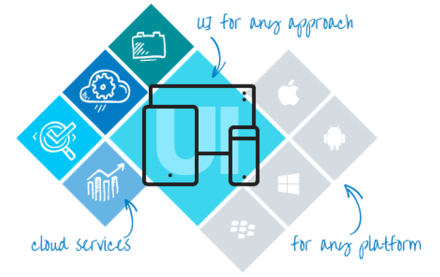
Telerik Platform is a modular platform for web, hybrid and native development that integrates a rich set of UI tools with powerful cloud services. This end-to-end development and project management solution provides tools and services for every stage of your application lifecycle – from idea to deployment and on-device performance.

Telerik Platform

You can know more about Telerik platform here.

Video Recording:

Here is the video recording of the webinar:


There is no slide deck for this webinar. I did not use any slide deck and did most of the things hands on.


Till next time – Happy Coding.

ES6

Resources for Webinar “10 Useful New Features of ECMAScript 6”

On Aug 20 2015 we did a webinar titled “10 Useful New Features of ECMAScript 6”. This blog post is a recap of the webinar. You will find the slide deck used in the webinar and the video recording of the webinar in this blog post.

ES6

ES6

Slide Deck:

Here is the slide deck used in the webinar:

Video Recording:

We record our webinars so that you can view them at your leisure time. So here is the video recording of this webinar:

Hope you like the webinar. Do let us know if you have any feedback/suggestion for us.

Kendo UI

Resources for Webinar – “Creating Responsive Design for Enterprise Web Applications with Bootstrap and Kendo UI”

On Aug 13 2015 we conducted one more webinar as part of Telerik India. This time we talked about “Responsive Design for Web Applications with Bootstrap & Kendo UI”. In this webinar we showcased how Kendo UI is responsive out of the box and also how Kendo UI integrates with Bootstrap.

About Kendo UI:

Kendo UI is a flagship product from Telerik. Kendo UI is a HTML5 based client side JavaScript UI framework. Kendo UI contains over 70+ Web/DataViz/Mobile widgets. You can know more about Kendo UI here: http://www.telerik.com/kendo-ui. Kendo UI demos are available online here: http://demos.telerik.com/kendo-ui.

Kendo UI

Kendo UI


Slide Deck:

It was one of those webinar where i did not use a slide deck. So no decks to put up here :).


Video Recording:

Here is the video recording of the webinar. You can view this recording at your leisure time:


Hope you like the webinar. Do let us know if you have any feedback/suggestion.

Till next time – Happy Coding.

It is raining Technology in August

monsoonDepending on who you believe (Skymet/ IMD) the monsoons are going well or very well. The rains have us running out and enjoying the showers, chai/ coffee and various savouries (pakoras anyone?). It has put us in mood for some soulful coding.

This month the Telek webinars cover some seminal technology changes that are happening –  Responsive Design, EcmaScript 6 and Cloud services for mobile.

Register by clicking on the webinar titles below:

DATE TIME (IST) TOPIC
Thursday, August 13 ’15 12:00 – 1:00 PM Creating Responsive Design for Enterprise Web Applications with BootStrap and Kendo UI
Thursday, August 20 ’15 12:00 – 1:00 PM 10 Useful New Features of ECMAScript 6
Thursday, August 27 ’15 12:00 – 1:00 PM Consume Azure Mobile Services in Telerik Platform

P.S.: Our regular webinar attendees may please note the new timings from 12:00 – 1:00 PM (IST).

We have an upcoming hands on series on mobile development with NativeScript in your city. Stay tuned!

Telerik Mobile Platform

Resources for Webinar “New Enterprise Capabilities with Telerik Platform’

On July 30th, we conducted one more webinar. This time it was about our new Enterprise Capabilities you get with our Telerik Platform. This blog post is a recap of the webinar.

About Telerik Platform:

If you are new to Telerik Platform, do check out www.telerik.com/platform for more information on what is Telerik Platform and what you get with Telerik Platform. We accelerate each step of your mobile app development journey with our Platform. Telerik Platform is a set of Cloud Services that help you with your app prototyping, app building, mobile backend, app analytics, app testing, app management and app feedback. Do check out the product page for more information.

Telerik Platform

Telerik Platform


Slide Deck:

Here is the slide deck used in the webinar:


Video Recording:

As with any of our webinars, find below the video recording of this webinar for your future viewing:


Q & A:

Q: In ScreenBuilder, can we use our own images for the icons?
A: Not in the screen builder. But once screen builder has created the screen, the app can be opened in AppBuilder and code can be customized or tweaked according to your needs. Screen Builder gives you a jump start with scaffolding the screen.

Q: How much can we configure the item template in Data List view?
A: You can create your own custom template for the list view items in AppBuilder. The Screen Builder just creates a basic scaffolding of the list view and its items. You can then take over and customize the code in AppBuilder.

Q: For the connection between Telerik mBaaS and Data Link Server, is it via a certain port number only?
A: Nope. Telerik mBaaS needs a IP or domain which can be pinged from Internet. In the demo we ran our Data Link Server on a port # and exposed that to outside world.

Q: How testing is done in Telerik Platform?
A: You can do Mobile App Testing using our Telerik Mobile Testing Framework. Its a framework for writing test cases using JavaScript as a language and test Native/Hybrid/Mobile web application. Telerik Platform also provides Device Cloud to test on real devices.

Q: Can i use your platform to build the complete app with database support on your platform itself?
A: Yes, you can. In this scenario you will be utilizing our Backend Service for database & AppBuilder Service which is nothing but a IDE for developing Hybrid Mobile App.

Q: Can we connect this with Line of Business applications like SharePoint, CRM , SAP?
A: Yes you can. At the moment you will need to work with the REST API that the business applications provide. Sonn, over the course of the time, we will be adding Data Connector capability out of the box to many enterprise stores. Stay tuned.

Q: Is there a restriction in programming language used during mobileapp development?
A: Yes, we use HTML 5, JS and CSS for development of mobile apps – hybrid or native.

Q: Can we do it using visual studio or some kind of IDE?
A: Yes, the whole Telerik Platform is avaialble as an addin for Visual Studio. All capabilities discussed today can be accessed from a browser and VS. http://docs.telerik.com/platform/appbuilder/running-appbuilder/running-the-vse/appbuilder-vse

Hope this webinar was helpful to you and gave you an idea as to how fast you can become mobile with our Telerik Platform. We will be excited to know what you guys are building as part of your enterprise. Do get in touch with us for any information you may need on Telerik Platform.

Resources for webinar IoT for Developers

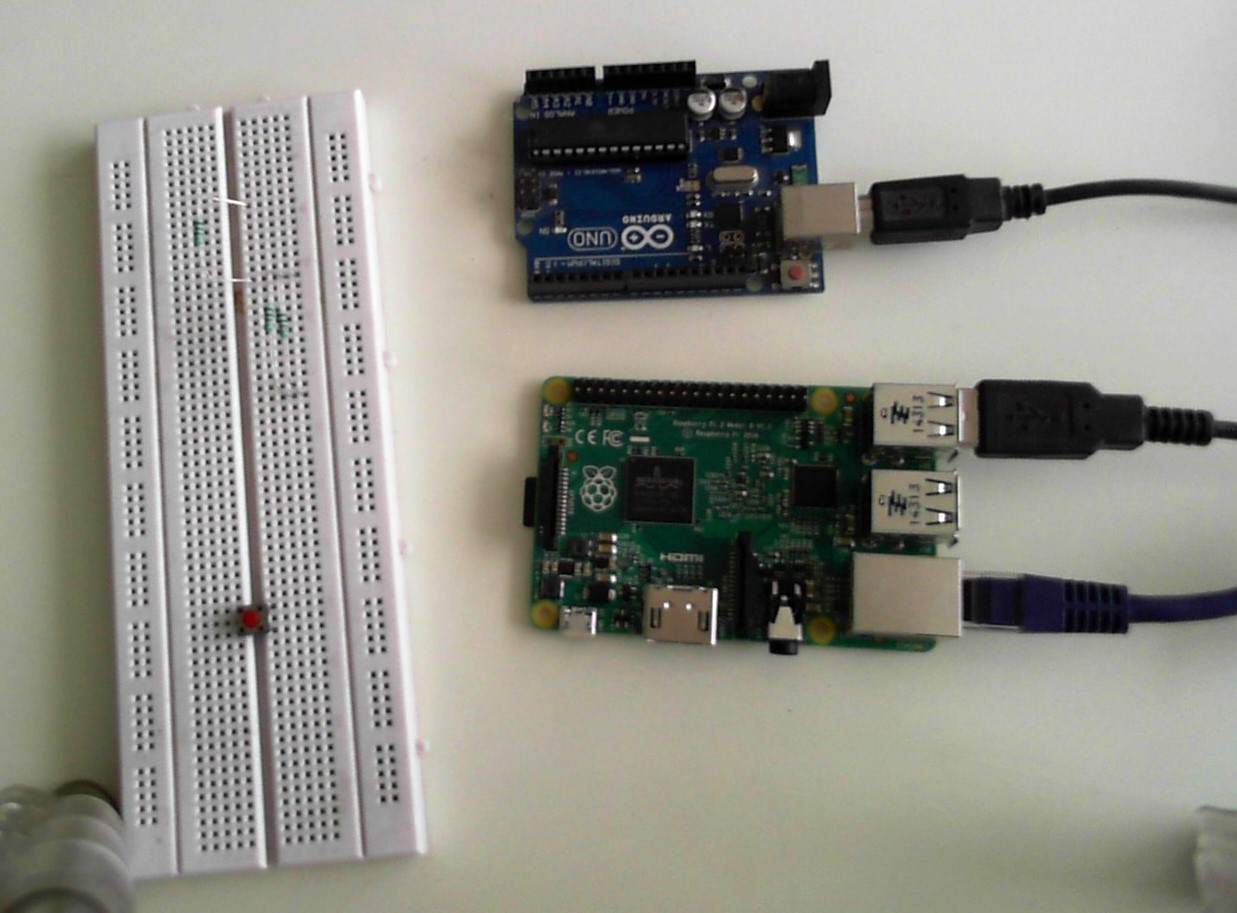
WIN_20150722_130716Internet of Things (IoT) is being touted as the next big thing after the WWW. Technologies are being developed rapidly to address this nascent space.
This webinar gets your started with IoT. We cover the basics of what IoT means, see Arduino board in action and demonstrate sharing data on internet.

As a developer you may want to know the journey of productionizing your prototype. A brief discussion on architectural aspects of IoT is also done.

We referred to the 2015 Developer survey results in the presentation. The detailed report is available here: http://forms.progress.com/iot-developer-survey-rollbase

If you are just getting started with IoT or want to get started with IoT, this video is for you.

Video:

Slides:

Selected Q&A from the webinar:

Q: What is the cost of the Arduino Uno R3 board and the temperature sensor (DHT 11) being shown?

A: The presenters bought this device off ebay.in. Prices were as follows:

1. Arduino Uno R3: INR 850

2. DHT11 Sensor: INR 139

Q: Is IoT about controlling and monitoring the things over the internet (as a medium of communication)?

A: Yes, both monitoring and controlling. The sensors are used for monitoring. We have relays etc that can act as control mechanisms.

Q: Do we need to download sketch editor sperately ? Where is it available from?

A: The sketch editor used is the Arduino IDE. It is a separate free download and available from http://arduino.cc

Q: Arduino is a Prototype board. How to make a real product?

A: This involves a lot more. The outcome of the prototyping phase is the schematic. This schematic alongwith materials to be used for fabrication consitute the BOM for the product. This is sent over to manufacturing.

Q: Does Arduino support wifi adapter ? as to connect to internet to transfer data wirelessly?

A: Yes. There is a wireless shield (or wifi adapter) available for Arduino. The new rage is ESP 8266 which is a cheaper alternative.

Q: Can we do development using C# on Visual Studio for the Arduino?

A: You can’t upload programs/ sketches written in C# on the Arduino. You can however interface with Arduino using .NET libraries (System.IO.Ports). Here is a sample step by step.

Q: Does Telerik has any product/API/device or anything related to IoT?

A: At this time, Telerik only offers the Telerik Platform for mobile application development. Telerik Backend Services provide an easy way to store data coming from the IoT devices in the cloud.

Q: Any resources that you found useful when starting exploring around this.  How did you get the right mix and match of libraries and tools?

A: You can start here: https://www.arduino.cc/en/Guide/HomePage

Many tutorials have been made available by http://www.adafruit.com

There are plenty on resources from the community that you can find on the web that would help you explore the IoT world.

Q: Which is the best IOT device available in market for .net developers?

A: Windows 10 IoT is now avaiable for Raspberry Pi 2 and Intel Galileo boards. A list of compatible hardware is available here: https://msdn.microsoft.com/en-us/Library/Windows/Hardware/dn914597.aspx

Blog post on running .NET code on Galileo can be found here: http://developer.telerik.com/featured/iot-windows-devices/

Projects using Windows IoT can be found here: https://microsoft.hackster.io/en-US

Resources for webinar – Enhance the customer journey and increase conversions with Sitefinity Digital Experience Cloud

Improving-sales-conversion

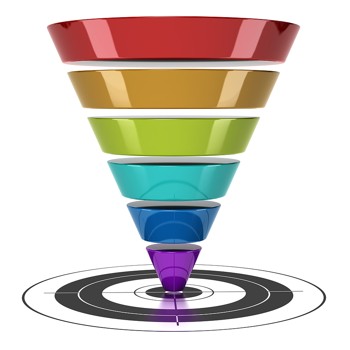
Digital presence is not just about managing content anymore. It is understanding what your customers are looking for and delivering it through the best user experience possible.

Companies want to understand the different audiences that visit their website and create personalized messaging that will resonate with each member of these. The Sitefinity Digital Experience Cloud is the unified marketing command center that enables marketers to drive growth by understanding, and optimizing every customer’s journey.

In this presentation, we will make this come live in a real-case scenario. You will learn how to arrive at clean and understandable metrics on how your messaging affects your customers and how you can improve their experience while they’re on your website.

Presentation:

Videos:

ASP.NET vNext

Resources for webinar “Creating Custom HTML Helpers in ASP.NET MVC”

On Jul 9 2015 we finished yet another webinar. The webinar was titled “Creating Custom HTML Helpers in ASP.NET MVC”. This blog post is a recap of the webinar. If you had to miss the webinar due to unavoidable circumstances – this blog post is a chance to recap the webinar by going through the slide deck & the video recording.

Slide Deck:

Here is the slide deck i used in webinar:

Video Recording:

Here is the video recording of the webinar:

Hope you found the webinar topic helpful. Do let us know your suggestion/feedback on the webinar.

Till next time – Happy Coding !

Telerik Reporting

Resources for Webinar “Building and Delivering Reports from your Web and Mobile Apps with Telerik Reporting”

On Jun 25 2015 we finished one more webinar. This time we looked at “Building and Delivering Reports from your Web and Mobile Apps with Telerik Reporting”. This blog post is the recap of the webinar. You will find the slide deck and video recording of the webinar in his blog post.

Telerik Reporting:

Telerik Reporting is a reporting solution for all .NET cloud, web, and desktop platforms that provides a full range of ready-to-use tools and services to help people throughout your organization create, deploy, and use reports quickly and easily. With Telerik Reporting, you can retrieve data from relational, multidimensional, ORM or custom data layer based data sources; The ready reports can be viewed in various formats (including PDF, Microsoft Office Word and Excel and PowerPoint documents); and can be viewed with a dedicated viewer in a Web or .NET Desktop application.

Telerik Reporting

Telerik Reporting

you can know more about Telerik Reporting here: http://www.telerik.com/products/reporting.aspx. Demos of Reporting are also available online here: http://demos.telerik.com/reporting/home.aspx.

Slide Deck:

Here is the slide deck used in the webinar:

Video Recording:

And here is the video recording of the webinar. If you missed attending the webinar you can catch up at your leisure time by going through the recording below:

Hope you will like this webinar.

Till next time – Happy Coding !

Resources for “3 Things You Didn’t Know Telerik Test Studio Can Do”

tst-cloud

Some interesting questions from the webinar:

Q: is there any keywords for handling captcha in Telerik test studio framework?

A: There are no specific constructs for handling captcha in Test Studio. You can author custom script in Test Studio to test for captcha.

Q: can we perform testing the application built on Iframes using test studio..?

A: Test Studio has extensive frames support including iFrames. More details can be found here: http://docs.telerik.com/teststudio/testing-framework/write-tests-in-code/advanced-topics-wtc/frames-support

Q: How does Telerik handles dynamically rendered application products like Pega?

A: Telerik has constructs like SimulateRealClick/ SimulateRealTyping that allow automation execution against the UI (as compared to DOM). Coupled that with Wait construct, one is able to achieve a lot of automation for dynamically rendered applications.

Q: How to search in every row of radgrid?

A: One strategy for finding rows using InnerText property was showcased during the webinar. Another one could be to retrieve the entire Table and iterate over each row in a scripted step.

Q: Hi, let me know whether we can have these automation scripts available into TFS and get executed ?

A: You can store the scripts in any repository. Test Studio has more integration points with TFS. An upcoming webinar covers more on this: http://www.telerik.com/webinars/teststudio/building-an-automation-framework-that-scales

The Slides for the session are as follows:

Video for the webinar is avaialble below:

Data Preparation Made Easy wit hEasyl

Resources for Webinar “Preparing Big Data for Analysis with Progress/Telerik Easyl”

IMPORTANT: Progress has since stopped active development on Easyl. 


We are back with one more webinar. On Jun 11 2015 we conducted a webinar titled “Preparing Big Data for Analysis with Progress/Telerik Easyl” at a new time. June & July month webinar will be held from 12PM to 1PM IST instead of 3PM IST. This blog post will provide you a recap of the webinar and you can catch up with the webinar in case you missed it live.

About Easyl:

HIGH-SPEED DATA PREPARATION YOU CAN DO YOURSELF – The slog of data preparation is over. What was slow and brutal, weighed down by days of Excel and email, is now fast and brilliant. For everyone. Business user, vendor, builder or partner — Progress Easyl puts you ahead of the pack. Modern, high-performance data preparation is now in your hands.

Data Preparation Made Easy wit hEasyl

Data Preparation Made Easy with Easyl

You can check out more information on Easyl here: Easyl

Slide Deck:

Here is the slide deck used in the webinar:


Q&A:

Q: What is Eloqua?
A: its a Marketing automation SaaS product from Oracle. Presenter is using that as one of the data source

Q: How Easyl help in Industry?
A: You can check out the features of Easyl here – https://www.progress.com/easyl/features. this will help you understand the capabilties of Easyl

Q: Hi Can we use this Easyl as DatASource for some other BI Tools Like Tableau?
Yes, tableau will be supported in the first GA release scheduled at the end of June-2015.

Q: How much amount of data space is provided by Easyl?
A: The data space depends on the plan your Easyl account is subscribed to. You can get information on Easyl plans at https://pacific.progress.com/cs-ui/service/plans after registering with Progress Pacific.

Q: Is it integrated with telerik test studio?
A: Progress Easyl is part of the Progress Pacific platform. It is not integrated with telerik test studio.

Q: Is SAP database supported in your tool ?
A: SAP is not currently supported.

Q: Is there any protection for data in Easyl?
A: Data generated in Easyl by a user can be accessed only by the owner and the sharees to whom the report is shared. All data is generated by the user is strictly bound to the particular user’s account.

Q: Can we secure data in Easyl?
A: Setting password for selected reports is not possible.

Q: One morething as you mentioned that it will be able to Map with Tableau so here Tableau will Be TableauAOnline Or in-premise Tableau Server?
A: Tableau Online.

Q: Will there be a DEC (from Telerik) data connector available?
A: DEC connector for easyl is currently not available currently.

Q: which cloud service is being used for storing data ?
A: Amazon EC2 instances.

Q: can you show the google analytics part in Easyl?
A: A tutorial of the google analytics integration will be available in the Easyl documentation after the GA release.

Q: Can we secure data in database with some passwords like MS Access?
A: Easyl user authentication is only available for the time being. Password protecting individual reports is not possible.

Q: How much amount of data space is provided by Easyl?
A: The data space depends on the plan your Easyl account is subscribed to. You can get information on Easyl plans in https://pacific.progress.com/cs-ui/service/plans after registering with Progress Pacific.

Q: Can Easyl be use as some sort of oData Server so that i can connect this with My TAbleau In Premise Server?
A: This is currently not possible. But you could generate your .tde files and work with your tableau desktop application.

Q: Is multi tenancy supported ?
A: Multitenancy is supported in the form of corporate accounts, where a bunch of account could be grouped and managed together using the Progress Pacific cloud services.

Q: Regarding Multi-tenancy ,  I am referring to data level multitenancy . For exampe,  If admin create a report and ihe would like to share the report with team for different location analyst but those user can see the data in report for the location  whch they have the access
A: Yes it is possible by using a corporate plan.

Q: Is this tool free?
A: It is available for a 30 day trial period, after which you’ll have to subscribe to a plan to resume working with full features.

Q: Can we attach easyl with developing softwares like Visual Studio?
A: No.

Q: How to open Easyl website?
A: You can register at https://pacific.progress.com/ . And select Easyl from the pacific from the console page.

Q: What is licensing cost ?
A: It depends on the plan your Easyl account is subscribed to. You can get information on Easyl plans at https://pacific.progress.com/cs-ui/service/plans after registering with Progress Pacific.

Q: How can I access Easyl
A: You can register at https://pacific.progress.com/ . And select Easyl from the pacific from the console page.

Q: Is there any support team for Easyl?
A: Yes. You could visit http://forms.progress.com/forms/ContactUs-v2 to contact our sales and service teams.

Q: Does Easyl offer some form of automatic removal of duplication of data, when say multiple datasources are used, say HubSpot and Google Analytics where journeys are obviously connected
A: Not currently.

Q: Can Easyl be installed & configured on any In-Premise Servers?
A: Easyl is available only as a cloud service. It cannot be installed as a standalone on-premise service.

Q: How can i beleive that my data is secure in easyl?
A: Data is secured in safe amazon instances which is closely monitored by an operations team.

Q: Can you show how to connect Easyl to SQL server
A: You just need to create a new datasource and enter the connection parameters in the SQL Server Datasource tab. Please refer documentation for details.

Q: In which fields, Easyl will be helpful?
A: Data Preparation for data analytics and business intelligence.

Q: does Easyl support RTL languages (Arabic) ?
A: Not currently.

Q: Is there any security for Easyl from virus attacks?
A: Data is secured in safe amazon instances which is closely monitored by an operations team to avoid any such attacks.


Hope you like the webinar & you will give Easyl a spin. Till next time – HappyCoding.


UI for ASP.NET AJAX

Resources for webinar “Create Word/Excel/PDF Documents in ASP.NET AJAX Web Apps using Telerik Tools”

On May 28 2015 we conducted one more webinar as part of our Thursday Webinar Series for Asia Pacific. This blog post is a recap of the webinar. You will be able to check out the slide deck that i used in the webinar and also the video recording of the webinar if you missed it live. This webinar was all about understanding how to create Word/Excel/PDF documents without installing either MS Office software of any PDF related software on your web server. Rather use our UI for ASP.NET AJAX suite and perform the document processing task.

UI for ASP.NET AJAX:

UI for ASP.NET AJAX is our complete toolbox for your ASP.NET AJAX based web applications. You get 70+ controls in this suite. The controls cater to almost any needs of your project. You can know more about our ASP.NET AJAX controls suite here: http://www.telerik.com/aspnet-ajax.

UI for ASP.NET AJAX

UI for ASP.NET AJAX


Slide Deck:

Here is the slide deck used for the webinar:


Video Recording:

Here is the video recording of the webinar. If you missed live webinar, you now have on demand viewing through the below recording.


Till next time – Happy Coding !

New Timing for Webinars in June – July ’15

Timing-is-EverythingAfter having run the webinars at 3:00 PM (IST) for a long time, we are changing it to get started a little early. We want to make it more convenient for you. Telerik webinars will be held from 12:00 – 1:00 PM (IST) for the months of June – Aug ’15.  If you have thoughts about the new timings, please do share them in the comments section below.

The sessions planned for June – July ’15 delve into the latest from the technology world. We will cover IoT and Reporting for Big Data amongst other topics.

Register for these online sessions by clicking on the session title below:

DATE TIME (IST) TOPIC
Thursday, June 11 ’15 12:00 – 1:00 PM Preparing Big Data for Analysis with Progress/Telerik Easyl
Thursday, June 18 ’15 12:00 – 1:00 PM 3 Things that you didn’t know Telerik Test Studio can do
Thursday, June 25 ’15 12:00 – 1:00 PM Building and Delivering Reports from your Web and Mobile Apps with Telerik Reporting
Thursday, July 9 ’15 12:00 – 1:00 PM Creating Custom HTML Helpers in ASP.NET MVC
Thursday, July 16 ’15 12:00 – 1:00 PM Enhance the customer journey and increase conversions with Sitefinity Digital Experience Cloud (DEC)
Thursday, July 23 ’15 12:00 – 1:00 PM Beginning Internet of Things (IoT) for Developers
Thursday, July 30 ’15 12:00 – 1:00 PM New Enterprise Mobile Capability with Telerik Platform

P.S.: While we try to stick to the plan above, there may be a change in the above schedule due to last minute exegency. We notify the registered attendees of the webinar of any changes.

Telerik NativeScript

Resources for webinar “Build Truly Native Android & iOS Apps from Single JavaScript Codebase”

On Apr 30 2015, we conducted one more webinar titled “Build Truly Native Android & iOS Apps from Single JavaScript Codebase”. This blog post is a recap of the webinar. In this blog post you will be able to get hold of the slide deck & the video recording of the webinar.

About NativeScript:

NativeScript is a new technology that we i.e. Telerik have open sourced to the community. Using NativeScript you will be able to build truly native Android & iOS from a single code base with JavaScript as a language. You can know more about NativeScript from its home here: ww.nativescript.org.

Telerik NativeScript

Telerik NativeScript

Slide Deck:

Here is the slide deck used for the webinar:

Video Recording:

Here is the video recording of the webinar:

Additional Links:

Here are some more videos on NativeScript:

NativeScript Launch Keynote: https://www.youtube.com/watch?v=8hr4E9eodS4

How NativeScript Works: https://www.youtube.com/watch?v=I3_ZnWTj-NA

How to build Apps with NativeScript: https://www.youtube.com/watch?v=Glh927vSYKo


Till next time – Happy Coding.