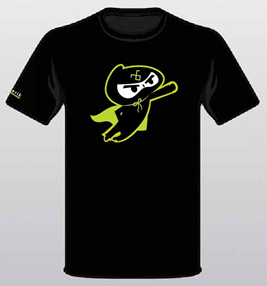
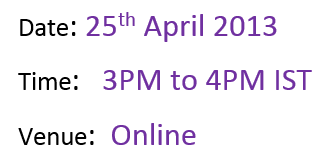
In this webinar we will focus on Data Grid along with other controls. During webinar we will be selecting two active participants from the webinar and sending them the much in demand Telerik Ninja T-Shirt. You will be coming, right?
On Apr 11 we delivered a webinar on HTML5 Data Visualization titled – “Easy HTML5 Data Visualization with Kendo UI DataViz”. This post is a recap of the webinar. As part of the webinar we discussed the following things:
What is Data Visualization ?
Why do we need Data Visualization ?
How do we do Data Visualization ?
What does HTML5 technology define for Data Visualization ?
During this webinar we had a lot of questions and I am trying to address them here:
There are couple of free jquery plug-in available on the net. which do all these charts. how Kendo UI different from them?
Kendo UI aims at providing unified framework for HTML5 & JavaScript Apps/Sites. Kendo UI is all about HTML5 powered client side javascript frame work. The DataViz package of Kendo UI spits out the Charts/Graphs/Gauges using SVG technology on modern browsers and will render as VML on older browsers. So if you use Kendo UI DataViz to perform your data visualization rest assured that you are HTML5 complaint.
Being a .Net developer why I should use HTML5 and not Silverlight for all this. same can be achieved with Silverlight as well?
The decision to use Silverlight or HTML5 will depend on the nature of the project. Silverlight is still a plugin based technology where as HTML5 is trying to standardize the web world with a common structure to be supported by all browsers.
For running Silverlight applications , user has to download the runtime first. Is it the same for Kendo UI code?
Kendo UI is a pure client side JavaScript framework. Kendo UI relies on Stylesheet and JavaScript. We have only one dependency and that is of Jquery. Apart from this nothing else is needed.
Why we need to choose separate chart product – when asp.net charting can give the charting option?
The charting option provided by ASP.NET as far as I know if not HTML5 based. Meaning the output of the chart/graph through ASP.NET charting is still Image based and does not use the HTML5 recommended SVG for output. Where as Kendo UI is a HTML5 compliant and outputs the charts/graphs as SVG on modern browsers and as VML on older browsers.
Can we add Kendo UI references into the PHP project? Absolutely. Kendo UI is serer agnostic. Meaning it does not care what server side technology has been used. This is because Kendo UI is a client side JavaScript framework. And to use Kendo UI you only reference a couple of style sheets and scripts and you are up and running. For data you will need to make sure that you create JSON end points as Kendo UI works well out of the box with JSON and XML.
Can we change the styles according to us? Yes very much. We provide an easy way to custom style all the Kendo UI widgets. We have an online theme builder for web and for mobile controls. For more information check out this page: http://demos.kendoui.com/
Can we use Kendo on Windows 8 metro & mobile apps ?
Kendo UI consists of 3 packages – Web, DataViz and Mobile. The Web can be used for Web Applications. Mobile controls can be used to develop Cross Platform Hybrid Mobile Apps. So Kendo UI Mobile Controls support Windows Phone. As of now we do not have support for Windows 8.
can we use it for 3D, is there any support for that?
We do not support 3D charting at the moment.
Will this work on mobile browsers ?
Since DataViz output SVG as the format for the chart/gauges, it can run on both desktop browsers and mobile browsers.
Does the charts support Drill Down option?
Drill-down functionality is not supported out of the box yet. However the chart exposes a seriesClick event which can be used instead. You can find a live demo here.
In the demo shown, was usage of valueAxis , categoryAxis, tooltip…. are these syntax to use kendo ui or some sort of data…??
These are the configuration settings you do on the Kendo UI DataViz objects and at runtime the chart is generated based on these settings.
Can i use Kendo UI in my .net application instead of SSRS charts?
Absolutely. You just need to make sure you provide an endpoint which can return JSON payload and the Kendo UI DataViz widgets can consume data and plot it.
How do we know Kendo Chart options ? as you are passing some options to it. is there any full fledged docs ?
The Kendo UI Documentation can be found at http://docs.kendoui.com. We have the API reference, Getting Started, Tutorials at the documentation site.
Does this come with Samples?
Yes. whether you download the trial or licensed version of Kendo UI – we ship the demo source code with it.
can we populate the data from database and bind this data to kendo charts?
Kendo UI is server side agnostic and does not care about what is the technology used for server side. Having said that the way Kendo UI works is – it can understand JSON or XML. So as long as data is passed as JSON/XML we don’t care about anything else. So you need to make sure that you create endpoint i.e. services which can return data in JSON or XML format. Kendo Widgets will be able to read data from those services out of the box.
Also, we had promised to attentive members from the audience will get our Telerik Ninja t-shirt. Well here are 2 winners we picked:
Ravi Gadag
Narendra Bisht
Congratulations to the winners and we will be getting in touch with you soon. Rest of you don’t loose heart. We have 5 more webinars in April and May and in each webinar we will be giving out 2 shirts each.
Hope you liked this webinar and we hope to see you back in our future webinars.
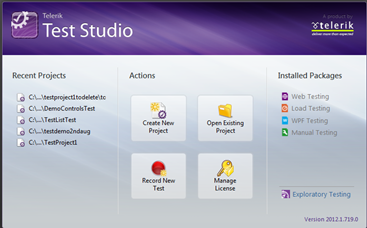
On 21st March 2013 we at Telerik India hosted webinar on Automated Functional Testing Can be affordable with Test Studio . We thank you for attending the webinar. In this webinar we tried a story way of presenting and on poll 75% audience liked that. This data was very motivating.
When: Thursday, March 21, 2013 3:00PM to 4:00PM India Time
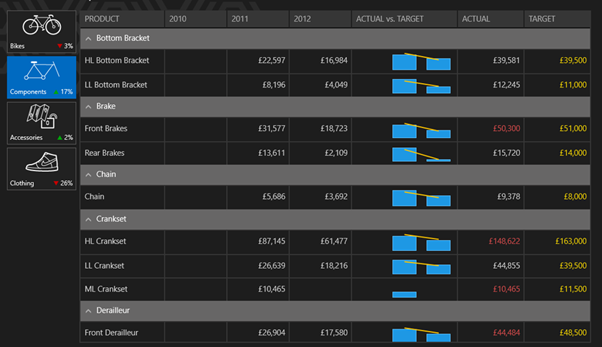
Should your functional testing only be manual? Are you shying away from testing only because of the cost considerations? Are you paying through your nose to maintain your testing tool? In this webinar, we will talk about an affordable solution that covers the testing capabilities you need. If you are enthusiastic about finding bugs in software and find solace in testing, we have a Ninja tool for you. Explore this chart buster software – Telerik Test Studio from the comfort of your seat. We are excited to invite you for a webinar on Telerik Test Studio.
In this webinar we will cover and see how easy it is to do
On 7th March 2013 we at Telerik India hosted webinar on Developing Applications for Nokia Lumia using Telerik Controls. We appreciate that you joined in. We hope that webinar was useful to you. If you have any further queries, please feel free to reach us.
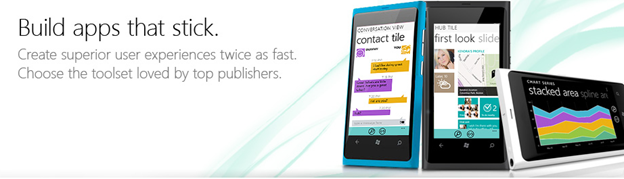
Windows Phone application development or creating application for Nokia Lumia devices is keeping a lot of developers very busy. Developers have the envious task of creating quality Windows Phone Application in short span of time. Telerik RadControls for Windows Phone provide the set of controls that significantly speed up the Windows Phone App Development process.
In this webinar we will start with Rad Controls for Windows Phone. We will explore various Rad Controls. We will keep webinar demo oriented and we will more focus on writing and understanding codes. RadControls for Windows Phone provides you different controls and building blocks to cut your development time. These controls are designed to shorten your app development time.
On Feb 28 we at telerik India hosted a webinar for Asia Pacific Region titled “ASP.NET MVC – Better User Experience with Kendo UI”. This blog post will allow you to get a recap of the same in the form of presentation slide deck and video recording
The webinar was an aim at letting you the user know about Kendo UI Web framework and how Kendo UI can work with ASP.NET MVC and improve the user experience of ASP.NET MVC applications. As you know ASP.NET MVC is a pattern based web application development stack from Microsoft and allows complete control over the mark up that gets generated. This means that there is no server control or control state or view state to maintain. You are left with plain HTML markup to play with.
Kendo UI is a HTML5 based client side JavaScript framework. Kendo UI control supports around 20+ controls which can be instantiated using pure JavaScript coding or using the ASP.NET MVC server side wrappers. With the Server Side wrappers you get the power of JavaScript with productivity of the server. The wrappers make it easy for you and you need not know JavaScript coding at all. The wrapper code makes it easy for you to work with Razor or Webforms engine as it supports both.
Through this webinar – I showcased the use cases of how ASP.NET MVC Wrappers allow you to integrate Kendo UI Web controls with your existing ASP.NET MVC applications and improve the user experience of your apps.
Here is the presentation slide deck used in the webinar:
How will we connect our local development database to build these apps using Icenium
Icenium is cloud based IDE and it cannot directly connect to SQL Server or any other database. You have three options
Create a service layer over database and work with service in Icenium
Expose data as OData and can work with OData in Icenium.
Icenium allows you to work with HTML5 storage directly.
Does Icenium support Windows Phone?
As of now Icenium does not support Windows Phone. But it is in Roadmap. Read more here
Does Icenium support Enterprise Application Development?
Icenium only allows you to create Cross Platform device applications at this time.
What other datasource can be used other than SQL?
In Hybrid Applications you can use any database. However, you will have to expose operations on database as service. Essentially, you will be consuming Services in the Hybrid Application.
Can we use jQuery mobile instead of Kendo UI Mobile in Icenium?
Yes, you can use jQuery Mobile instead of Kendo UI Mobile in Icenium. To work with jQuery Mobile choose the second project template while creating a new project in Icenium.
Can you show a Login Screen implementation in Icenium ?
You can implement it in the same way you implement Login in any HTML5 based web application. You have two options to authenticate a user:
Call a authentication service
You can authenticate user from data stored from local storage as well.
Can we use ASP.NET WEB API in a Hybrid Application?
Yes you can use Web Api in the same way you consume a WCF REST Service.
How does Icenium Cost?
Until 1st May Icenium is completely free. Find more pricing details here
What is role of PhoneGap Here?
Icenium uses Phonegap (aka Apache Cordova) to build and package applications for various platforms.
Can we use SharePoint as Datasource ?
In SharePoint 2010 and onwards you get OData feed of SharePoint lists. You can use them to create Kendo Data source.
Can we work collaboratively on Icenium?
Yes, you can. You can invite collaborators by right -clicking on project and choosing the option for Version Control.
Can we directly deploy on device?
Yes, you can directly deploy on multiple devices.
Can we use Camera in Icenium ?
Yes, you can access camera on Icenium using Phonegap API to access Camera.
Once again, I thank you for attending the webinar. If you have any question feel free to reach me at Dhananjay.kumar@telerik.com . For update follow @icenium and @kendoui on twitter.
Would you like to create a mobile application that can run on most of the mobile application platforms? From the same codebase?
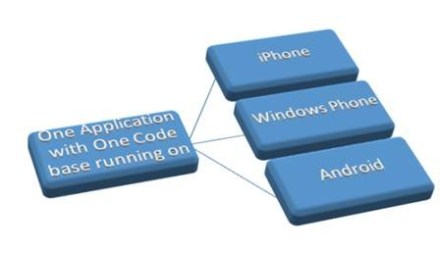
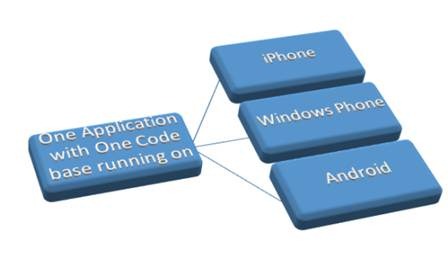
Gone are the days when one had to write different codes in different languages for different mobile platforms. Now a days developers are more inclined to write Cross Platform Mobile Applications or Hybrid Mobile Application. An application written using web technologies like HTML, JavaScript and deployed on multiple platforms without changing any codebase is known as Hybrid Mobile Application.
This session will focus on various development aspects of Hybrid Mobile Application development. Session will follow step by step approach to create Hybrid Mobile Application. This will be a demo oriented session. In Session demo will be on creating Hybrid Applications like Netflix Movie Explorer and Twitter Search using Telerik JavaScript Hybrid Mobile Application development framework Kendo UI Mobile in Icenium . This session will also touch upon various complexities of building and packaging a hybrid application along with their solution.
Come and learn with us of this amazing capability with the skills you already possess. We will go from nothing to a fully functional mobile app ready for the app store in an hour.
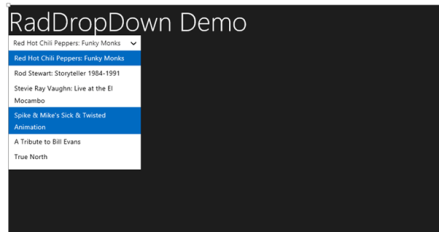
In webinar we started with discussion on development for Windows Store. We discussed on various aspect in choosing development option. We did a walkthrough of various RadControls for Windows8. In detail we discussed on following RadControls in HTML based Windows Store Application,
If you need more information and any assistance then please feel free to get connected with me at @debug_mode or send me mail on Dhananjay.kumar@telerik.com . Thanks once again for attending the webinar.
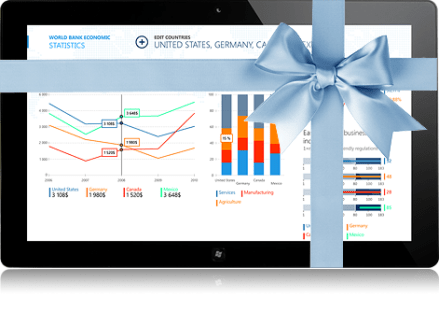
Launch of Windows 8 has brought enormous enthusiasm among developers along with normal users. Developers are aspired to write fascinating killer apps and want to reach maximum Windows 8 users. If you are one of those aspired developer then this webinar is for you. In this webinar we will talk and learn about Rad Controls for Windows 8. Rad Controls for Windows 8 allows you to write fascinating touch enabled Windows 8 Application which your users will love. It helps you to shorten development time, quickly take application to market and get better ranking. There are 15+ native controls available for you to use in your application. You can use controls natively in your application regardless you are developing in XAML or HTML.
Recently I presented on Hybrid App Development using Kendo UI Mobile in CSC Noida. I had fun time presenting in front of professionals from CSC. Please find below slides from that presentation
Telerik India has started a webinar series in India time zone to create more awareness about Telerik products. So far four webinars have been conducted and large numbers of developers, designers and testers got benefited by that.
Continuing the series, on 5th September 2012, we are conducing webinar on Rad Controls for Windows Phone to help Windows Phone developer community.
Windows Phone application development is keeping a lot of developers very busy. Developers have the envious task of creating quality Windows Phone Application in short span of time. Telerik RadControls for Windows Phone provide the set of controls that significantly speed up the Windows Phone App Development process.
In this webinar we will start with Rad Controls for Windows Phone. We will explore various Rad Controls. We will keep webinar demo oriented and we will more focus on writing and understanding codes. I strongly recommend you to download and install trial before coming to webinar.
RadControls for Windows Phone provides you 41 different controls and building blocks to cut your development time. These controls are designed to shorten your app development time. We will explore some of the controls listed below in the webinar.
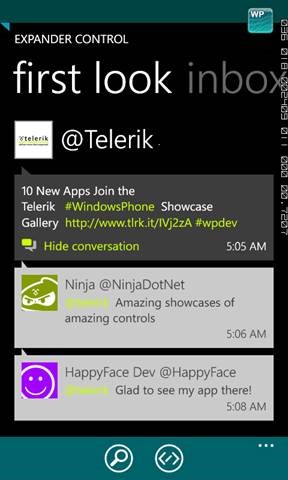
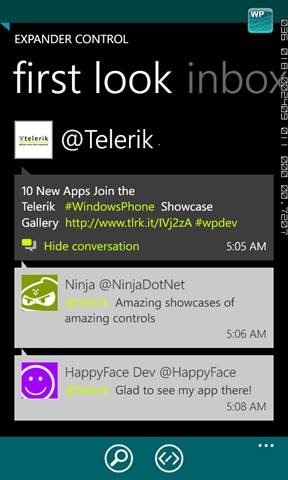
RadConversationView
RadAutoCompleteBox
RadTextBox
RadToggleSwitch
RadSlideHubTiles
RadRating
RadHubTiles etc .
Apart from above listed RadControls, we will explore many other controls as well. I request you to attend the webinar. Once again find the webinar details below,
If you are enthusiastic about finding bugs in software and find solace in testing, we have a Ninja tool for you. Explore this chart buster software – Telerik Test Studio from the comfort of your seat. We are excited to invite you for a webinar on Telerik Test Studio. The details are as follows:
When: 22nd Aug 2012 at 3 pm (IST)
For Whom: Testers, Quality Professionals, Project Managers and Ninja’s











 Helping Ninja Technologists