Azure Mobile Services provide a scalable backend for creating various applications. Telerik Platform provides a singular experience for creating mobile applications that can work with various backend systems.
In this webinar, we talk about how to consume Azure Mobile Services in a Telerik Platform application. We start from scratch and build up the first screen for showing data from the backend.
Slides used during the presentation are below:
The webinar recording can be found here:
The code shown during the webinar can be download from the GitHub Code Repository
The lucky winners who have won the trendy Telerik Ninja T-Shirt are:
Nitin Verma
Kahdeer KI
Lokesh Jain
Jayaprakash N
We will be contacting you soon to dispatch your prize.
Selected questions from the webinar are produced below:
Q: Can we deploy an application built for IOS store to Windows & Google at the same time ?
A: An app built for iOS will work only on iOS . You will need to build different packages for diff platform i.e. ipa for iOS, apk for Android and xap for Windows Phone. Telerik Platform allows you to build these different packages from the same code and machine.
Audience Question:
Q: Is it possibe to view this application on browser instead of mobile?
A: yes … Kendo UI Mobile controls are HTML5 based so they will work as is in a browser. but you will need to remove the cordova initialization code as cordova wont work in a desktop browser
Q: For iOS binary,certificate and distribution profile is required for creating ipa file so in telerik how to create ipa fie?
A: AppBuilder service has provision to ingest your Apple certificate and distribution profile. It stores it in the cloud and uses the same to create the binary packaging. No extra effort is needed to sign the binary with the certificate and make it app store ready.
Q: The Azure key of the mobile apps is contained in a js file – is it not a security threat?
A: This is a Mobile App … So it gets packaged along with the app and sandboxed by the OS. Nobody other than the app code will have access to it. However, it is still susceptible to man in middle attack if proper steps during transmission are not taken.
Q: Does it makes any difference if we use standard WCF service instead of REST API?
A: A lot of difference. If you are designing for Mobile app – you need to keep in mind that the bandwidth on mobile devices is very small. so you cannot send too much data. Simple WCF is SOAP so just to send a name, you will be sending a lot of payload. It is better to create a REST based end point which sends data as JSON format. WebAPI and Azure Mobile Services are some of the options for creating REST based API.
Q: Are there any example on multiple page application using Kendo UI Mobile?
Q: I have already designed web app using CSS. How to convert code into the telerik mobile app code ?
A: A Web Page and a Mobile App are two different experiences. To create a mobile app, you will need functionality written separately using Kendo UI Mobile. To recreate the same look and feel as that of your web app, you can override specific Kendo UI Mobile classes with the CSS of the web app.
Q: Can i use backend MS SQL in a mobile app?
A: A Mobile App runs on a device. A MS SQL resides on a server. So, it is not directly possible to connect the two. Azure Mobile Services provides Hybrid Connection facility that can be used for connecting in-premise database to the cloud.
On Sep 11 2014, we conducted a webinar titled “Best of Both Worlds – Kendo UI Integration with Angular JS”. This webinar is part of the series of webinar we do here in Telerik India for India time zone.
About Kendo UI:
Kendo UI is a flag ship product from Telerik. It is a HTMl5 based JavaScript client side UI framework. Kendo UI provide Web Widgest, Data Vizualization Widgets and Mobile Widgets. Kendo UI also has certain framework elements namely Kendo UI DataSource, MVVM, Templating, Gloabalization, Validation, Drag & Drop support, Effects and SPA. You can know more about Kendo UI here.
About Angular JS:
Angular JS is a popular JavaScript framework and is developed by folks at google. Angular pretty much is the community choice as of now when it comes to using a client side framework. It is very popular among the front end developers today.
Kendo UI + Angular JS Integration:
As part of Kendo UI framework we now fully support Angular JS. What this means is when using Angular in your project you can make use of Kendo Directives to create Kendo UI widgets. We have out of the box support for Kendo Angular Directives and the directives are available for Web, DataViz & Mobile widgets. You can continue using Angular as the back bone of your app while you can make use of Kendo UI as the front end control choice. Thats why we called this webinar “best of both the worlds”.
Slide Deck:
Here is the slide deck that was used in the webinar:
Video:
Here is the video recording of the webinar:
Q & A:
Q: Is Kendo UI With Angular is free?
A: Kendo UI comes in two flavours – Kendo UI Core which is a OSS & free and Kendo UI Professional (paid). Kendo UI Angular support is available in both – the Core & Professional editions.
Q: Is Angular JS different than Backbone JS and Knockout JS?
A: Yes. Knockout deals with only data binding. Angular provides data binding plus many more things as a framework.
Q: What do you mean by Hybrid Applications in JavaScript?
A: Mobile Apps developed using HTML/CSS/JS are known as Hybrid Applications.
Q: why did you use visual studio? is it so specific?
A: No. Speaker is familiar with Visual Studio and hence using the same. VS is not a prerequisite for this. You can use notepad, sublime text or any other editor.
Q: Is Telerik Test Studio Supports Angular Components, I am sure it supports Kendo UI?
A: Test Studio has native support for Kendo UI components. Any web page developed using Angular can also be tested using Test Studio. However, native support for Angular doesn’t exist right now.
Q: do we need Kendo libraries or only Kendo scripts in order to work with Kendo?
A: Kendo UI is all about 2 style sheets and 1 JavaScript file 🙂
Q: Will it helps in SharePoint ?
A: Sure. These are both client side frameworks (no server side requirements). So, it is supported by SharePoint.
Q: Is Kendo UI fully client side ?
A: Yes it is fully client side.
Q: Kendo UI is based on ?
A: It takes a dependency on jQuery. It is written from scratch for performance and functionality.
Q: DataSource is like database?
A: No. Kendo UI DataSource is a client side framework object that can connect to any web service and be leveraged by binding it to any Kendo widget & charts.
Q: If I install Kendo UI Library using Nuget in Visual Studio then do I need need to pay for that?
A: Kendo UI Core is the OSS from Telerik. It is available on NuGet as KendoUICore. Kendo UI Core is free for personal as well as commercial projects.
Q: In Core all these are available?
A: Core doesn’t have some widgets like Grid and the whole charting library. More details here: http://www.telerik.com/kendo-ui/comparison
Q: Can i get the document related to Kendo UI and their usage?
A: Kendo UI Documentation can be found at – http://docs.telerik.com/kendo-ui.
Q: If we need only 1 or 2 element (i.e. Calender or slider) so we have to add whole Kendo UI CSS and JS file?
A: No. You can simply use the specific js file for those specific widgets. There is a custom script builder also available at: http://www.telerik.com/download/custom-download
Q: Does Kendo-Core provide support for responsive layout like Bootstrap?
A: Kendo UI as a framework does not reinvent the wheel for providing a responsive layout. Instead all Kendo UI widgets are responsive in nature out of the box.
Q: I was under impression that Kendo UI is for Mobile apps. if true why we are using regular browser and not a emulator ?
A: Kendo UI comes in 3 flavors namely – Kendo UI Web for Web Apps/Sites, Kendo UI DataVix for visualization and Kendo UI Mobile for hybrid mobile applications. In the demo we are taking Kendo UI Web and hence the browser check.
Q: Hey Kendo UI Core can be used on production as it is free or any licensing issue?
A: Completely free with Apache v2 license. Good for commercial and open source projects.
Q: From where we can download free version of Kendo UI + Angular.JS ?
A: You can get the pre built package of Kendo UI Core here. Angular JS support is out of the box.
Q: what is difference between kendo.web.min.js and kendo.all.min.js?
A: Kendo Web is a part of Kendo framework. Kendo.all contains the full framework components – DataViz, Mobile and Web
Q: what are the performance issues in building hybrid apps using Kendo UI?
A: We have worked very hard to get the performance up for Kendo. You will experience a very smooth performance with Kendo in Hybrid Apps.
Q: Does same code written for Kendo UI widget (desktop web)run on mobiles also?
A: Yes, it will. Kendo UI widgets are responsive by default.
Q: Are you using Knockout JS for MVVM in Kendo?
A: No. Kendo has a native MVVM framework.
Q: Is data-role option avaliable in core ui? or only in proferssional?
A: data-role is used to convert a simple HTML element into specific widgets (e.g. Grid, ListView). It is available for all widgets that are available in Kendo UI Core. Kendo UI Professional contains additional widgets and charts.
Q: what about the row template?
A: Kendo Grid supports row templates written as Kendo Template (very simple javascript syntax).
Q: I was not able to use two panel bar controls in same page as its being tracked by ID..Ex- <Ul id=”panelbar” ?
A: You need to make sure that each widget has an unique ID
Q: Whats the role of row template here?
A: If you want to display data in a specific way from the incoming data, you can use the row template e.g. an image from simply the image URL
Q: Is Server Paging possible?
A: you can enable Kendo UI DataSource to request this from server. However, it will also need to be supported by the underlying service.
Q: Is it possible to create Angular or Kendo based website in Visual Studio 2010 ?
A: Yes absolutely. You can use any other IDE/ Editor as well.
Q: Can we use it with asp.net MVC 5?
A: Yes you can. Kendo UI comes with bindings for ASP.NET MVC 5. http://www.telerik.com/aspnet-mvc
Q: my company wants to create an application on asp.net MVC. some Views should be able to work on phone also. Do u recommend me to use Kendo UI?
A: I think yes. Kendo UI specializes in making apps cross platform.
Q: How does kendo support these many browsers? Does it not make the framework heavy? Can we download a tailored copy that would only work for modern browsers so that the framework weight is light?
A: I am not sure if we allow only support for modern browsers. You can however use our custom script builder for only the components you require. http://www.telerik.com/download/custom-download
Since we had an overwhelming response to this webinar, we decided to pick 3 winners for the T-Short giveaway instead of regular 2 winners. So here are the 3 names:
Prolay Sarkar
Vishal Sanchihar
Kapil Chhabra
Congratulations to the winners. We will contact you over email and will ship the t-shirts to your address. Rest of the folks dont worry, we still have a lot of webinars lined up. So keep joining us for every webinar.
On Sep 4 2014 we conducted a webinar titled “Connecting your In-Premise Database to Mobile Apps”. This was part of regular webinars we conduct almost every Thursday of every month for India time zone. This post is a recap of the webinar.
One of the pressing issues enterprises often face when it comes to mobility is how to connect to an in-premise database from a mobile application. Scenario is that the enterprise does not want to move the data outside of the organization i.e. move to a cloud infrastructure. Rather they want to keep the data inside the organization but still be able to access it from a mobile application. In this webinar we look at 2 solutions/techniques to solve this problem. They are:
Use ASP.NET WebAPI to create a service and host it inside the organization, expose it as a public IP behind fire wall and consume from a mobile app
Use Telerik BackEnd and in particular DataLink & DataConnector to expose data as a RESTful service without writing any code
Below you will find the slide deck used for the webinar, video recording of the webinar, Q&A and T-Shirt winners.
Slide Deck:
Video Recording:
Q & A:
Q: HOw Does webAPI serve when more request (traffic)?
A: The web server can be used to manage the web traffic. You can also create web farms if you expect more traffic.
Q: How rLinq is different from edmx?
A: It is almost the same. EF (edmx) can be used here as well. rlinq also has L2 caching support that helps speed up the application.
Q: What is POSTMAN?
A: Chrome extension to work with RESTful URIs. An alternative is Fiddler. More details here: http://www.telerik.com/fiddler
Q: How to secure Web API?
A: Options include OAuth, Cookie based Authentication, ADFS and a few more
Q: can you provide me the name of cross platform development tools..?
A: Lovingly called AppBuilder (a part of Telerik Mobile Platform). More details: http://www.telerik.com/platform#overview
Q: Can we use this telerik platform service with our existing telerik id?
A: Yes. you can get started for free with Telerik Platform.
Q: Which one is faster, techinque1 or technique2?
A: You have more control in Technique 1 but deploy bug free system faster with Technique 2
Q: Does the data gets cached anywhere or it hits the on-premise database everytime?
A: Data Link capability is a pass through service. So, we don’t cache any data. It hits the DB each time.
T-Shirt Giveaway:
As usual with any of our webinars, this time too we select 2 random attendees from the attendee list and they will receive our .NET Ninja T-shirt. So the winners for this webinar are:
Pooja Cheema
Gopesh Sharma
Congratulations to the winners. We will contact you over your registered email and will ship the t-shirts. Others dont worry – there are many more webinars to come. So try your luck next time.
On Aug 28 2014, we conducted a webinar titled “Introduction to IoC and Dependent Injection in ASP.NET”. This is part of the regular webinars that we i.e. Telerik India do every month. You can see the September/October webinar schedule here.
Slide Deck:
Following is the slide deck that we used as part of the webinar. You can view it online below or you can download to view it at your leisure time:
Video:
We record all our webinars so that people who missed attending live can view the recording on demand. Following is the video recording for this webinar:
Demo Source Code:
We had shown two demos as part of this webinar. It was divided as Part1 & Part 2. Part 1 talked about DI & IoC as a generic concept. Where as Part 2 we took a look at Di & IoC in ASP.NET MVC with Ninject as the container. Find the source code links below:
Q: what is loosely coupling?
A: two classes are not directly coupled in dependency
Q: There are so many DI you mentioned , what are the most famous and used wide along?
A: NInject , Unity, StructureMap are some of the widely used ones
Q: Does ORM by telerik supports all database technologies?
A: Yes
Q: Is Telerik DataAcess open source ?
A: It is free to use commercially as well.
Q: Which is most useful, parameter injection or constructor injection?
A: Depends on your scenario. My personal pref is Constructor injection.
Q: Which is best AutoFac or Ninject? As i have implmented the same with AutoFac
A: Doesnt matter. All the IoC containers are pretty much alike. Its just the ease of use for somebody. Ninject is a simple one too.
Q: from the Performance point of view , what you recommend?
A: All IoC containers out there in the market are more or less pretty good wuth respect to the perfrormance. so its just the ease of use that you need to pinpoint and use one
Q: Should we always think of getting on the interface way even when we are not sure if there could be multiple types of dependent class ?
A: Its always better to program to contract than a class.
Q: Can we achieve dependeny injection without an IoC?
A: Yes … its known as Poor Mans DI – where you hand craft everything that you need
Q: Hi, DI is always a combination of Poor Mans and IOC Container?
A: Not always. you can do DI with either approaches.
Q: How lifetime is managed in Ninject?
A: By specifying whether the object is created as Singelton or new object. fluent syntax .InSingletonScope()
Q: which container you would prefer Unity or Ninject or any other?
A: It is a matter of personal choice. All of them provide almost similar functionality.
Q: so who is taking the load of instanciating the object here- ninject or test app or both?
A: Ninject is responsible for creating the objects. It works with MVC pipeline to make it seamless.
Q: If we have difrent implementation of an interface, Can we decide on runtime which implementation to inject. Like getting from a web config file.
A: Yes possible. Ninject is meant for that :). You can use configuration settings in web.config for the same.
T-Shirt Giveaway:
If you are a regular to our webinars, then you know that we select 2 random attendees to receive our .NET Ninja T-Shirt. But we had a huge turnout for this particular webinar and we decided to pick 3 instead of 2 attendees from the webinar. Here are the lucky winners of our t-shirt:
Inderpal Singh Uppal
Vinay Bansal
AjithKumar Rai
Congratulations to the winners. For the rest of you don’t worry. We still have a lots of webinars lined up. So be there and try your luck.
During the 68th Independence Day, the Indian Prime Minister gave a significant recognition to the IT Professionals for contributing to the growth of Indian economy. We salute the spirit of millions of software developers and hope to continue to make their jobs easier and best of class.
In the month of September, our webinar series will cover the latest technology trends sweeping the development world. Register using the links below:
The audio will be streamed via the GoToMeeting. Use of headset is recommended.
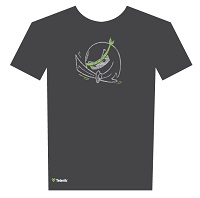
On popular request, we are pleased to bring back our T-Shirt givewaway during each webinar. They now come in new cooler designs that you can wear to show your Ninja pride.
On Jul 31 I presented a webinar titled “Build HTML5 Sites/Apps for Free with Kendo UI Core”. This webinar was part of the monthly webinars we do here in Telerik India. This blog post is a recap of the webinar. You will find the slide deck, video recording and Q&A from the webinar.
Kendo UI core
On April 16th, we i.e. Telerik announced the introduction of an Open Source Software called Kendo UI Core. Kendo UI Core includes 24 of the UI widgets that are found currently in Kendo UI Web and all of the widgets & features formerly available under Kendo UI Mobile. Kendo UI Core also includes the core framework features that are available in Kendo UI for e.g. DataSource, MVVM, SPA etc.
Here is a recap of the questions that we received during the webinar.
Q: Recently Kendo team integrated Angular JS framework in kendo UI core. Is there any dependencies to create Angular JS apps or just include kendo-ui-core.min.js and jQuery.js?
A: You need to have a reference to angular.js script file before referencing kendo script file. That’s the only dependency we have for working with angular.
Q: How can I select only date from the datetime picker control that is without showing default time? A: Date Time Picker is for showing both date and time. If you just need Date, you should try DatePicker widget – http://docs.telerik.com/kendo-ui/api/web/datepicker
Q: How we can implement offline behaviour of application using Kendo UI? A: At the moment we don’t have out of the box support for offline. But you can always cache the data in local storage and use it when offline.
As usual we have picked two winners for our t-shirt giveaway. The following persons will get our .NET Ninja T-Shirt shipped to them.
Chandra Bhushan
Vinay Kumar
Congratulations. We will contact you on our email to get your address and ship it to you. For rest of you, don’t worry – we do have a lot of webinars lined up through the year.
On Jul 24 2014 we conducted yet another webinar titled “Build a Mobile Dashboard using HTML 5 and Telerik Platform”. This is part of the monthly webinars we do here in Telerik India. This blog post is a recap of the webinar with resource links and video recording of the webinar.
Kendo UI:
Kendo UI is a flagship product from Telerik which is a HTML5 based client side UI framework. It contains Kendo UI Web for web apps, Kendo UI DataViz for Data Visualization and Kendo UI Mobile for Hybrid Mobile Application Development.
Kendo UI
You can know more about Kendo UI here. Also the Kendo UI demos are all online and can be found here.
Video Recording:
We record all our webinars so that if there is anybody who missed attending live, they have another chance to go through the webinar. So here is the video recording of the webinar:
Q & A:
Q: how to contert telerik asp.net web application to mobile compactable?
A: If you are using Telerik ASP.NET WebForms controls it is Mobile ready. If you are developing ASP.NET MVC application, you can use Kendo UI which is HTMl5 based controls set and can run on Desktop Browser as well as Mobile Browsers.
Q: Where can we find kendo chart keywords used in JavaScript?
A: Please refer Kendo UI documentation here.
Q: Can you give me the URL to try App builder directly?
A: AppBuilder is part of our Telerik Platform. Please sign up for Telerik Platform here.
Q: What is the difference with singlepage app and a mobile app?
A: Single Page App or SPA as it is known as is just a pattern that many app developers utilize to build modern day web site/apps and Mobile Apps.
Q: How did u initiate simulator?
A: From the AppBuilder select Run > In Simulator to launch the simulator.
Q: What is the relation between Appbuilder and Kendo UI Mobile chart?
A: AppBuilder is the IDE for Hybrid Mobile App development. Kendo UI DataViz is the data visualization control set to be used in a mobile app.
Q: How we can implement offline behaviour of application using Kendo UI?
A: Kendo UI DataSource in future will provide the capability of offline caching of data. As of now you as a developer will need to take care of caching the data.
Q: Can the Kendo UI support access of Native component of os? like camera , media library etc?
A: Kendo UI is a UI control set and hence wont provide any device capability access. Where as you can use Cordova JavaScript library to access the device capability in your mobile apps.
T-Shirt Winners:
We usually pick 2 random attendees from the webinar and they receive our Telerik .NET Ninja T-Shirts. Following folks are the winners of the t-shirt for this webinar:
Ashok Rapaka
Ajithkumar Rai
Congratulations to the winners. We will contact you to get your address and ship the t-shirt.
Telerik provides a plethora of tools for Test Automation including Test Case Management, Functional & Load Testing, Performance Profiling and Mocking. This webinar briefly touches on each of these areas.
The recording for the webinar is as follows:
Free 30 day trials of various products is also available:
The Union Budget 2014 has been announced. Individual tax payers are getting additional money in their hands. As you open up your calculators for counting the monies, you may want to budget some time for enhancing your learning with Telerik India Webinars. We don’t want you getting drenched in the monsoon rain. These free webinars can be attended from the comfort of your home/ office.
The webinar schedule for July & August is as follows:
On Jun 26 2014, we presented a webinar titled “Mobilizing Your SAP Data with Telerik Platform”. This was part of our regular webinars we do here in Telerik India. This is a recap of that webinar. You will find the slide deck that was used in the webinar and the video recording of the webinar.
This webinar we focused on a enterprise story. Most of the enterprises today have SAP rolled out in their organization. As you all know SAP is a enterprise software to manage business operations and customer relations. One of the challenges that enterprises face is – how to mobilize the SAP data. You may want to expose the SAP data and make that data available through a Mobile Application so that people on the field can use it.
In this webinar I explain how you can expose data from SAP and use Kendo UI Mobile controls which are part of Telerik Platform to create a Hybrid Mobile App and target it to any mobile platform.
Telerik Platform
Slidedeck:
Here is the slide deck that was used in the webinar:
Video Recording:
Here is the video recording of the webinar:
T-Shirt Giveaway:
As with any other webinars of ours, we have 2 lucky audience selected to receive our .NET Ninja t-shirt. Here are the 2 attendees who have been choosen:
Eknath Pawar
Ujjwal Kumar
Congratulations to the winners. We will contact you and ship your t-shirt. Others don’t worry as we still have a lot of webinars lined up. We look forward to your presence in our future webinars.
On Jun 19 we conducted a webinar titled “Build Hybrid Mobile Applications for Nokia Lumia Devices”. This was part of our monthly webinar we do for APAC region. This blog post is a recap of the webinar and you will find the slide deck used in the webinar, video recording of the webinar, Q & A section and of course the t-shirt winners details. So read on.
AppBuilder
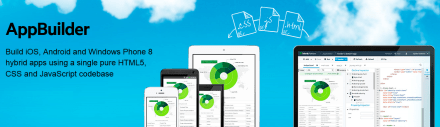
As part of the demo I used our AppBuilder Visual Studio extension to build a Hybrid Mobile App. AppBuilder is a service we offer as part of our Telerik Platform. Using our AppBuilder you can build iOS, Android and Windows Phone 8 hybrid apps using a single pure HTML5, CSS and JavaScript codebase. You can know more about our AppBuilder here. We use our Kendo UI Mobile control as the UI control set. Kendo UI Mobile is a adaptive rendering mobile control which provide native looking UI on platform they run. You can know more about Kendo UI here.
Telerik AppBuilder
Slidedeck:
As with any webinar recap, here is the slide deck from the webinar:
Video Recording:
Q&A:
Q: What is difference between mobile app and hybrid app?
A: Hybrid App is a paradigm or a type of Mobile Application Development technique
Q: Can mobile web apps run without net connection also what about hybrid apps?
A: Mobile Web Apps are served from a server. So if there is no internet connection on the device, you can connect to your mobile web app. Where as a Hybrid App gets installed on the device. So you can pretty much handle the scenario of no connection and show a user friendly message.
Q: What is the basic Diff. B/w cordova (Phonegap) and Telerik Hybrid Mobile Developement?
A: Telerik Hybrid Mobile Apps use Kendo UI Mobile which can adapt to the platform they are running on and provide you a native look and feel for your app. Where as when you develop an app with Cordova, you will be using UI control sets like Jquery Mobile UI.
Q: Is Cordova a standard API across all hybrid applications OR do other equivalent APi’s exist?
A: With respect to Hybrid Mobile Apps, Cordova is the only JS API which can provide you with the device capabilities.
Q: How many platforms can we target?
A: Windows Phone, iOS, Android and BlackBerry
Q: How much effort is required to repackage for diff platforms?
A: Using AppBuilder, you can package for iOS, Android and Windows Phone with one Button click.
Q: Are these controls free of cost?
A: The Kendo UI Mobile controls are free and open source. They are available as part of the Kendo UI Core. You can know more about Kendo UI Core here
Q: Can we develop for BlackBerry using Kendo UI ?
A: Yes you can. Kendo UI Mobile controls support Black Berry platform.
Q: Is AppBuilder only for creating hybrid apps and that too using Telerik?
A: Yes. AppBuilder is like Visual Studio for creating Hybrid Mobile Apps. AppBuilder can be used to build Hybrid Mobile App using any UI control set. For e.g. you can use Jquery Mobile as the UI control set for your application but use AppBuilder for coding, simulating and Building
Q: Does AppBuider work with VS 2012 as well?
A: Yes it does
Q: Can we add other plugins to this Kendo UI Mobile App?
A: Yes. Custom Cordova plugins can be added to Kendo UI Mobile Apps
Q: Does we have manifest file to put icons and dev information?
A: AppBuilder provides a project property feature where all meta data can be entered and during packaging it will convert it into a manifest.
Q: Where can i check other demos or source codes for mobile?
A: We have a whole list of Hybrid Mobile Application samples and can be found here.
T-Shirt Giveaway:
In each of our webinars, we give away our famous .NET Ninja t-shirt for 2 lucky audience. So in this webinar we have picked the following two folks as the winners of our t-shirts:
Ruth Pushpalatha
Rohit Vardhan
Congratulations to the winners. Those of you who did not win, dont worry. We have a lot of webinars lined up for the year. So keep coming back and try your luck.
On Jul 12 2014, we conducted a webinar titled “Integrate Video and Photos in your ASP.NET applications with ease”. This is part of the monthly webinars we have been doing here in Telerik India. This blog post is a recap of that webinar.
RadImageGallery & RadMediaPlayer:
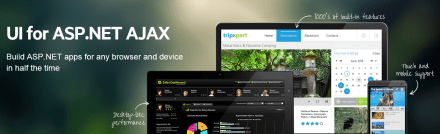
As the name goes, RadImageGallery can be used to create Image Gallery in your apps with minimal coding. Similarly, RadMediaPlayer can be used to create a YouTube like Media Player with minimal coding. Both of these controls are part of our “UI for ASP.NET AJAX” suite. If you are not familiar with our “UI for ASP.NET AJAX” suite of controls, head over to our product overview page here.
UI for ASP.NET AJAX
You can know more about RadImageGallery here and about RadMediaPlayer here.
Slidedeck:
Here is the slide deck that was used in the webinar:
Video Recording:
We record all our webinars and the videos are available for on demand viewing. So here is the video recording of this webinar:
Q & A:
Q: Is the library of these controls free to download or require any license?
A: A trial of 30 days is available. This is a paid product from Telerik
Q: Does it take Images from online services/providers like Flicker/OneDrive and stream here in control?
A: Both of these controls provide a feature of binding data from the client side. So you can get the data as JSON on page load and bind it to the control client side.
Q: Can we have this Image Gallery in MVC?
A: No. This is a ASP.NET AJAX control. Cannot be used in MVC.
Q: does RadImageGallery provides paging?
A: Yes. RadImageGallery supports the paging
Q: Can we specify how many thumbnails to show/ or customize thumbnail settings?
A: RadImageGallery provides a thumbnails settings where we can set Width, Height, Thumbnail Width, Thumbnail Height and Thumbnail spacing.
Q: How to get and integrate these controls to Visual studio?
A: Download the controls from http://www.telerik.com/products/aspnet-ajax.aspx. Run the Installer and that will integrate the controls in the control toolbox. Go ahead from there.
Q: Can we incrase the size of the preview display and keep the thumbnails in different dimensions?
A: Yes. RadImageGallery provide Image Area Settings and Thumbnails Area Settings.
Q: Can we give the source dynamically to the rad media player?
A: Yes. The data can be bound to RadMediaPlayer through code also.
Q: Does it require any media player to be installed at client side like Silverlight/Adobe media player?
A: No. RadMediaPlayer uses the build-in HTML5 <video> and <audio> element functionality to bring powerful media capabilities to your apps without the necessity of installing additional plug-ins. It provides a quick and easy to setup way to deliver rich media web experience for websites, blogs, online TV channels, e-commerce pages, etc. For older browsers which don’t support HTML5 natively, Internet Explorer 8 and 7 in particular, the player provides a Flash fallback method to play the video or audio file by rendering a Flash object.
In our webinars, we usually give away 2 t-shirts to 2 lucky attendees. We randomly pick from the webinar attendees and they get our .NET Ninja T-Shirt. In this webinar, the winners are:
Ashish Bhat
Surya Vinukonda
Don’t worry if you didn’t win the t-shirt. Try your luck in our next webinar.
Git is the new source control technology that is getting wide spread adoption. In this presentation we cover the basics of Git and move on to strategies for developer workflows, source control migration to Git and Project Management with Git.
Slides:
Video:
Selected Q&A from the webinar is as follows:
Q: why should we use GIT,other than its an open source?
A: Git is extremely light weight steeply reducing your infrastructure needs. It provides for offline working and has great support for collaboration. It is also very fast.
Q: Can I Save Image File (like Logos) in Git?
A: Any known file types can be saved 🙂 remember you are just storing on a hard disk 🙂
Q: In TFS… we have only one process… called “Check-in” to make it store in server…. but in Git we have Commit and Push… why both are needed ?
A: Commit is meant to check in code to a local copy. and finally when everything is ready – you can just push to remote Git repo…
Q: Can i use in .net project;for .cs file
A: Yes … any type of files.
Q: is there a possiblity to switch my working directory file from one branch to other branch..?
A: yes you can, using checkout in Git
Q: how to update code in git.
A: Git has got nothing to do with the editing. You can use your favorite editors to work with your source code for e.g. notepad or Visual Studio or anything. Git detects the changes and allows your to commit and push
Q: may I know what is the command to switch a file from one branch to another branch in my working directory?
A: From the branch where you want to switch to, run this command: git checkout
Q: Does it have any Cloud Storage option on this Git?
A: Git is a Software to manage your source code and that is why its called source control. You can host it locally on your laptop/desktop or on your own cloud. Services like GitHub or BitBucket do the same. they have their own cloud and host Git on the cloud and you can just use their service
Q: Can i use in windows azure?
A: Yes. you will need to create a VM and then install the Git software and maintain yourself. The TFS online offering from Microsoft also offers Git repos.
Q: I am having a repo in the server and other systems that will develop the code i had lost all my data in server where i will store what should i do
A: The advantage of Git is that you have many full local copies available in computers where the code has been pulled. You can use any local copy to restore the server and let others connect to the same. Also, your server infrastructure should be in such a way that you do regular backups of your Git folders.
Q: Do we have any kind of provision for restore after delete in GIT?
A: Delete is a part of the commit. You can revert to an earlier point by checking out a specific commit.
On May 24 we conducted yet another webinar as part of our monthly webinars. This time the topic was “Getting Productive with ASP.NET MVC5”. This webinar was a lap around the new features released as part of ASP.NET MVC5.
ASP.NET MVC5 is the latest release for ASP.NET MVC and comes with Visual Studio 2013. In order to know more about this release you can go through the official documentation here: http://www.asp.net/mvc/mvc5
Slide Deck:
Here is the slide deck I used as part of the webinar:
Video Recording:
All of our webinars are recorded for on demand viewing. So here is the video recording of this webinar:
T-Shirt Giveaway:
One of the benefits of attending our webinars is that you can be a lucky winner of our Telerik .NET Ninja t-shirt. Every webinar we select 2 attendees in random and those 2 get our .NET Ninja t-shirt. So, following are the lucky winners of our t-shirt for this webinar:
Arpan Shah
Prakash Kumar
Congratulations to the winners. We will contact you on your registered email and get details about your postal address. We will ship your t-shirt through courier. Others, don’t worry as we have a lot of webinars planned for the rest of the year. Here is the May/June schedule that we have put up on our site: https://telerikhelper.net/2014/05/17/a-new-govt-for-india-and-new-tech-for-techies-in-india/
Congratulations to 1.2 bn Indians countrymen who participated in the elections to give ourselves a new Govt. It is exemplary that our democracy recorded over 66% voting. For perspective, USA voting percentage in Presidential elections of 2012 was 57%.
Telerik salutes all the responsible Indian citizens (esp. the youth) who voted and hope that the voting percentage would further increase in the next elections. For technologists, here are some fresh technical webinars that would get you started with the new technologies:


 Azure Mobile Services provide a scalable backend for creating various applications. Telerik Platform provides a singular experience for creating mobile applications that can work with various backend systems.


 During the 68th Independence Day, the Indian Prime Minister gave a significant recognition to the IT Professionals for contributing to the growth of Indian economy. We salute the spirit of millions of software developers and hope to continue to make their jobs easier and best of class.








 Helping Ninja Technologists