On 24th April 2014 we hosted a webinar on Integrating KendoUI with Knockout.js. Now a days MV* patterns are most used patterns in almost all kind of applications. Knockout.js is one of the most popular library to achieve MVVM in JavaScript based web applications.
Kendo UI provides complete capability to achieve MVVM. If you use Kendo UI, you don’t need to use any other JavaScript library to create applications based on MVVM or Single Page Application. In this webinar we tried to show you integration between Kendo UI and Knockout.js.
Being an application developer means that you got to know how your app is being used in the wild by your customers. If you are a mobile app developer this is even more important allowing you to focus on the features that are most widely used.
Telerik Analytics provides you with a framework for application analytics to answer such questions. Telerik Analytics is available for iOS, Android, .NET, Windows Phone, Java, Web and COM applications.
Take a look at the below resources that would help you get started with gathering intelligence from your apps:
On Mar 13 we conducted a webinar titled “One Data for Different Kinds of Apps Using Telerik Backend Services”. This blog post is a recap of that webinar. You will find the slide deck and video recording from the webinar.
About Telerik Platform:
Telerik Platform is a modular platform that combines a rich set of UI tools with powerful cloud services to develop web, hybrid and native apps. With Telerik Platform you can do: Seamless prototyping & design, Build Cross Platform mobile applications, Comprehensive services to manage data, users and integrations, Perform automated cross platform mobile testing, Streamlined app publishing and Measure your app and user behavior.
As with every webinars we host, this webinar was also recorded. So if you missed attending the webinar live, don’t worry you can watch the webinar recording at your free time. Here is the recording of the webinar:
Webinar Giveaway:
Every webinar we do, we select 2 attendees and give them our Telerik .NET Ninja T-Shirt as a giveaway. In this webinar too we have 2 winners. Here is the lucky 2 who get our t-shirt:
Manoj Patel
Kalpana Thangavel
Congratulations to the winners. We will contact you and ship the t-shirts. Rest of you who did not win the t-shirt, don’t worry we still have a lot of webinars in 2014. So make sure you are there in our upcoming webinars and try your luck.
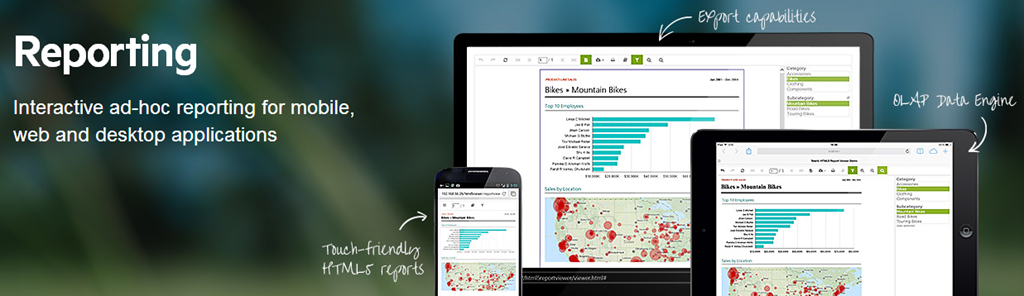
On Feb 27 we presented a webinar on our Telerik Reporting suite. The webinar was titled “Take Your Reports to Any Screen with Telerik Reporting”. In this blog post we will recap the webinar for those of you who couldn’t not make it live.
Telerik Reporting:
Telerik Reporting is a lightweight reporting solution for all .NET cloud, web, and desktop platforms (ASP.NET, Ajax, Silverlight, WPF, Windows Forms, and Azure) which targets developers and end-users. Rich interactive and reusable reports can be created by developers in Visual Studio, and by end users in the desktop-based Report Designer. With the help of Telerik Reporting users can examine and probe data, export reports to Microsoft Office Word and Excel for further analysis, and even present them as PowerPoint documents.
We record all our webinars for the benefit of on demand viewing. So if you missed attending the webinar live don’t worry, here is the recorded video of the webinar:
Questions & Answers:
Q: Is it possible to convert existing reports in to this?
A: Telerik Reporting has conversion wizards for Crystal Reports, Active Reports and Xtra Reports.
Q: Is this compatible with ORACLE data source? A: Telerik Reporting supports Microsoft SQL Server Analysis Services cubes, ADO.NET data sources, relational databases, business objects, ORMs and XML. So as long as ORACLE has a ADO.NET Data Provider we will support it.
Q: Is there possibility to have chart and table is same report?
A: Yes. Chart and Table are what we call as Report Items. So they can be placed together and bind data accordingly. You can check our dashboard Reporting demos which showcase this.
Q: I have 5-10 reports with data displayed in different formats(table,graph…). I would like to apply same text font for all those reports. Is it possible?
A: Yes you can. You can use external style sheets to apply the same styles in different reports – Exporting and Reusing Style Sheets
Q: is it possible to convert vs2010 local reports to telerik reports?
A: We do not have converters from SSRS reports, because there is a great difference in the reports’ structures.
T-Shirt Giveaway:
If you are a regular to our Telerik India webinars, you will know that we select 2 random names from the webinar attendee list and they get our cool Telerik .NET Ninja t-shirt. So here are the 2 winners from this webinar:
Rajan Thaora
Keerti Valmiki
Congratulations to the winners. We will contact you to get you address so that we can ship the t-shirt. Others don’t worry, you can try your luck in our next webinar.
It is election season in the country. As we host the largest democratic exercise in the world for the 16th Lok Sabha elections, it is the duty of every eligible Indian to cast his vote.
Telerik India encourages its community to exercise their vote in the Lok Sabha elections. It is just not your right but also your duty.
And we are pleased to continue discharging our duty by bringing the latest technology webinars to you. Just like the results on May 16th will usher in the new Govt., development also has elected new paradigms – mBaaS, HTML 5 visualizations, App Analytics and MVVM. Our webinars will cover these emerging trends in March – April.
DATE
TIME (IST)
TOPIC
Thursday,
6 March
3:00 – 4:00 PM
Unpeeling the Mobile Development with Telerik Platform
On Feb 13 2014 we conducted the webinar on “Kendo UI Mobile Tips and Tricks”. This blog post will provide you some of the resources from the webinar like Slide Deck, Video recording of the webinar.
Kendo UI Mobile
Kendo UI Mobile helps you to build Cross Platform Mobile or Hybrid Applications with pure JavaScript and HTML5.
On Jan 30, we conducted a webinar titled “Scaffolding in One Asp.Net”. This blog post is the recap of the webinar.
Scaffolding in ASP.NET:
ASP.NET Scaffolding is a code generation framework for ASP.NET Web applications. Visual Studio 2013 includes pre-installed code generators for MVC and Web API projects. You add scaffolding to your project when you want to quickly add code that interacts with data models. Using scaffolding can reduce the amount of time to develop standard data operations in your project.
So in this webinar I went about showcasing how scaffolding can be use in MVC scenario, Web API scenario and Web Forms scenario.
As with every webinar we have done, we have selected 2 random persons from the audience and they will get our .NET Ninja T Shirts. Congratulations to the winners.
Rajesh Haramkar
Ramesh Pyru
Our office will contact you to get your postal address so that we can ship them to you.
On Jan 23 2014 we conducted the webinar on “Node.js development using Visual Studio”. This blog post will provide you some of the resources from the webinar like Slide Deck, Video recording of the webinar and source codes used in the demo.
Node.js is asynchronous event driven server side JavaScript. It is written in C++ and runs on Google V8 engine. Servers created using Node are high at performance and scalable. It perform File, DB and IO operations in non-blocking way.
Every webinar we give away two .NET Ninja T-Shirts which have become quite popular among developers. In this webinar we have selected the following 2 persons to receive our t-shirt.
Ishitva Goel
Ramesh Pyru
Congratulations to the winners. We will contact you on the email address you have provided to us. We will ship the t-shirt to your address.
On Jan 16 2014 we conducted the very first webinar of 2014 titled “Achieve Responsive Web Application with Ease using Kendo UI”. This blog post will provide you some of the resources from the webinar like Slide Deck, Video recording of the webinar and lastly the Q&A section.
Responsive Web Design:
Responsive Web Design or RWD as it is known as, is an interesting topic in the landscape of modern day web application development. With the proliferation of mobile phones and tablets, your web page is seen not just in one screen i.e. Desktop Browser but also in Mobile Browsers and Tablet Browsers. Because of the screen size or form factor differences, it is important for your as a app developer to provide the right experience across the form factors. So in this webinar we looked at how Kendo UI is responsive and how you can build responsive screens using Kendo UI.
Slide Deck:
Here is the slide deck from the webinar:
Video:
As with every webinar, we have recorded this one too. Here is the video recording of the webinar for your leisure viewing:
Questions & Answers:
There was a lot of questions asked during this webinar. we were able to answer some of them during the live webinar. Here is the complete list of questions and answers to those questions:
Q: can we mix azure mobile services Apis with kendo?
A: Absolutely. Kendo UI is a client side framework. You can use it with any backend.
Q: can we integrate with Silverlight? A: Sorry, Silverlight is a very different framework. Kendo UI is a HTML 5 framework.
Q: We have existing clients having content added in tables , can we make existing content responsive using CSS?
A: Yes. Kendo Grid provides adaptive layouts as well.
Q: Is Kendo UI necessary to develop responsive web design?
A: No not necessary. It is a framework that enables writing web applications to deliver responsive design much easier.
Q: What is the difference between Kendo UI and other similar services like Sencha? A: Kendo UI is an HTML 5 framework for the web, mobile and data visualizations. I am not as knowledgeable about Sencha but it could be just a mobile development framework.
Q: Is it necessary to use visual studio or we can use other IDE also?
A: Any IDE can be used – Eclipse, Sublime or simply notepad 🙂
Q: Required to import Kendo UI framework/library in projects?
A: yes. that’s what gives the functionality of being responsive.
Q: Does Kendo do any polyfill ?
A: Yes. We do polyfilling under the hood. We sniff the browser and see if it supports HTML5. If not we polyfill. This is pertaining only Kendo UI controls and behaviors only.
Q: When we design a responsive web design application, is it like we wont see horizontal scroll bar? A: Horizontal scroll bars are not considered good usability. So, responsive design avoid having them.
Q: Can Kendo UI be used with android as well?
A: Kendo UI Mobile controls can be used to create cross platform hybrid mobile applications.
Q: How does the old browsers behave with Media queries?
A: While some polyfill is available, Kendo does require modern browsers with HTML5 support to function correctly. We support IE7+, FF, Chrome and other major browsers.
Q: Does all the controls in Kendo are responsive in nature, or not?
A: Yes, they are. And then there are adaptive layouts for Grid etc.
Q: Can Kendo UI be used with android as well? A: Yes. We have a specific module for mobile applications – Kendo UI mobile. http://www.kendoui.com/mobile.aspx
Q: How will be the performance of Kendo UI control? A: We have optimized Kendo UI for extremely fast performance. In our studies it may be perform a lot better than some other frameworks.
Q: Is Kendo UI based on twitter bootstrap? A: No. We have out of the box 11 themes that we ship. We have also released a Kendo UI Twitter Bootstrap theme and with this theme all our widgets will look and feel like a bootstrap scheme.
Q: Is it light weight? A: yes, this framework is very light weight with option to assemble only the functionality that you require (reducing the size even further)
Q: Is it mandatory to know HTML5 in order to use Kendo UI?
A: yes, Kendo UI is based on HTML 5 capabilities.
Q: Is it compatible with Windows phone too? A: Kendo UI Web controls are supported on latest and greatest browsers which support HTML5. We also have Kendo UI Mobile controls which can be used to develop cross platform hybrid mobile apps. Kendo UI Mobile are supported on all major Mobile OS.
Q: Is there any difference between ASP.NET MVC Kedo UI controls and simple Kendo UI controls?
A: The functionality is the same in both. The programming model is different. Kendo UI needs JS programming while MVC controls are programmed with Razor syntax.
Q: Can we use Kendo UI with Asp.Net MVC 4?
A: Yes. We support MVC 3+.
Q: Kendo UI is browser specific?
A: Nope. Just requires a HTML 5 enabled browser.
Q: I’m using fusionchart component for data visualization.. i want to make it responsive as my app works on iPad and desktop.. is it possible with Kendo?
A: Yes. You can use Kendo DataViz for the same. http://www.kendoui.com/dataviz.aspx
Q: can we integrate with PHP site? A: Absolutely. There is specific wrapper for PHP as well that will allow you to continue to write PHP code. http://www.kendoui.com/server-wrappers/php.aspx
Q: Can we use Kendo UI in xcode? A: Kendo UI is a web framework. You would be building native app with XCOde. In that case, you can use Kendo in a WebView only.
Q: How can we customize Kendo Ui to adapt style sheet css from our web application, Requirement is Kendo ui controls use the web site theme ?
A: You can use our themebuilder to customize the stylesheet instead of using the theme we ship. Take a look at our theme builder here: http://demos.kendoui.com/themebuilder/web.html
Q: can we create custom controls using Keno UI? A: Yes. We support plugin architecture. So you can create a custom plugin and use it as a Kendo UI Widget.
Q: Is all Kendo UI controls are responsive? A: Yes.
Q: Can Kendo UI be used with PhoneGap? A: Yes. The specific control set for mobiles is Kendo UI mobile: http://www.kendoui.com/mobile.aspx
Q: What is right database connectivity for developing browser application using Kendo UI A: You will need to develop a server side application that spits out REST based JSON data. In .NET, you can use WebAPI or WCF Data Services.
Every webinar we give away two .NET Ninja T-Shirts which have become quite popular among developers. In this webinar we have selected the following 2 persons to receive our t-shirt.
Dhiraj Gautame
Tejendra Chaturvedi
Congratulations to the winners. We will contact you on the email address you have provided to us. We will ship the t-shirt to your address. Others don’t feel bad. There are plenty of webinars to come. So keep participating and try your luck next time
On 12th December 2013, we conducted webinar on Journey from Manual to Automated Tester in 1 Hrs. We had great time teaching Automated Testing over web to audience of more than 150.
Can we do automation testing for excel application?
What I understand from this question that you want to automate testing of
Reading Excel file
Verifying whether data being written to Excel file.
Yes you can do it using CODED STEPS. You need to write C# Code using File System API and Excel API to achieve automation .Learn more about Coded Steps here
On Nov 28 2013 we conducted a webinar on the topic “Adaptive Rendering Mobile Web Apps using ASP.NET MVC”. In this blog post we will provide the resources from the webinar.
ASP.NET MVC has a fantastic feature which allows you to design web pages for traditional web browser or for a mobile browser. In order to support Mobile browsers, all you need to do is to create a page with “.mobile” in the file name i.e. if I have index.cshtml view just create a index.mobile.cshtml and ASP.NET MVC pipeline will serve this page when some body requests index view from a mobile browser.
Kendo UI Mobile is a flagship product from Telerik which is a HTML5 based cross platform adaptive rendering mobile controls. Kendo UI Mobile controls when uses will adapt to the platform they are running on and will give you the look and feel of that platform. So you write your application only once and deploy to platforms like Android, iOS, Windows Phone and Blackberry without any code changes.
Slide Deck:
One of the things I tried with this webinar was – Only Action No Theory. Well what I meant was I didn’t have a slide deck for this webinar. It was completely demo oriented.
Video Recording:
If you had missed attending the the live event or you want to go over it once again don’t worry we record every one of our webinars. So here is the video recording of the webinar:
Q&A:
As with every webinar, this webinar too had many questions from the attendees. We tried our best to address most of them during the webinar. With the lack of time, we might not have been able to answer every question. So we list them here with the answers.
Q: Is adaptive rendering same as responsive design? A: No. Responsive design is where you design a web page which reacts to different dimensions of the browser. For e.g. If you create a web page using Twitter’s bootstrap style sheets they have rules which make your page realign to different dimension. Where as adaptive rendering is about rendering controls which look native on the platform they run. For e.g. if you use a button, when the page is seen from a iOS browser, button should look the blue shade button or when it is seen from a Android browser, it should look like a black shade android button etc.
Q: How does kendo recognize the mobile or device in which app is running? A: Each browser will let you know information about the platform through user agent strings. So we rely on that.
Q: Can we override the native look and feel. Like if we have requirement to show app similar to android in IOS
A: Yes you can. We have a special skin or theme called Flat. If you use this flat theme the UI will be same across platforms. You can customize the Flat theme CSS to have your own color combination.
Q: Can we use Kendo UI without using Asp .net MVC? A: Yes you can. Kendo UI is a HTML5 powered Client Side UI framework. You can use Kendo UI Web Controls in a plain HTML page also. Kendo UI Mobile controls are used for developing Mobile Applications.
Q: Why there is a need to add Jquery mobile script file separately and why can’t we make it as part of kendo scripts ?
A: Kendo UI depends only on Jquery and nothing else. So its necessary to first add Jquery before referencing Kendo UI scripts.
Q: Is it possible to create iOS/Android apps like messaging, file sharing using KENDO UI? A: Yes you can.
Q: when you Customize/override the layout by making skin ‘Flat’ , the tabs were in the bottom in Android UI too, so it means Kendo UI will not work if we override or customize it?
A: When we use Flat skin, the UI looks consistent across platforms which includes the tab strip too. The tab strip will be at bottom. But if you want the tab strip to be on top for android or other platforms you can easily customize the flat theme CSS for a particular platform.
Q: I can build Mobile Web using such adaptive layout with Jquery mobile + ASP.net MVC , what are the key features for Kendo Web UI?
A: Kendo UI Mobile controls are adaptive in nature. i.e. you write once and deploy on different platforms, the controls will look like native UI. For more information visit: http://www.kendoui.com/mobile.aspx
Q: Does Kendo UI supports HTML5 features? A: Yes.
Q: how to convert mobile web app to hybrid app? A: You can just take the HTML/JS/CSS files, package it and deploy it to respective marketplace.
Q: What all kind of app we can develop using Kendo UI? A: kendo UI comes with 3 flavors. Kendo UI Web – used to develop HTML5 based web apps/sites, Kendo UI DataViz – used to develop data visualizations for web and mobile and Kendo UI Mobile – used for developing Hybrid Mobile Apps. For more information visit – www.KendoUI.com
T-Shirt Giveaway:
With every webinar we select 2 random attendees to receive a give away from our side. The give away is a .NET Ninja t-shirt from Telerik. So here are the 2 winners from this webinar:
Sivakumar SS
Mahesh Darga
For those of you who are feeling sad about not winning the t-shirt, don’t worry. We have a lot of webinars planned ahead. So keep looking out for our next webinar.
On November 7th we conducted a webinar “Patterns in JavaScript”. This is yet another webinar in the ongoing series we here at Telerik India have been doing. You want to know more about these webinar, take a look at the schedule here:
As usual the webinar was demo oriented and we learn to code various patterns of JavaScript. Even though webinar was demo oriented we covered almost everything in slide deck. This slides could be useful to you.
Video Recording
We record all our webinars so that those of you who couldn’t attend the live event or you had some audio issues can come back and view the webinar at your leisure time. Below is the recorded version of this webinar:
Resources
You can find different blog posts on same topic below,
Microsoft has released yet another version of Visual Studio and is called as Visual Studio 2013. Through this webinar we took a lap around some of the newest feature that every developer should be aware of. A lot of enhancements have been made in the language as well as the IDE itself. You can know more about Visual Studio 2013 here: http://www.microsoft.com/visualstudio/eng#visual-studio-2013
Slide Deck:
As usual the webinar was demo oriented as I spent most of the time show casing the new features of the new IDE. The slide deck contains just the pointers to my talk. So I suggest you watch the recorded video of the webinar along with the slide deck.
Video Recording:
We record all our webinars so that those of you who couldn’t attend the live event or you had some audio issues can come back and view the webinar at your leisure time. Below is the recorded version of this webinar:
Whats New in Visual Studio 2013
Webinar Giveaway:
If you have attended our webinars you will know that we usually pick 2 attendees from the participants list and they will receive our .NET Ninja T-Shirt shipped. For this webinar we have picked the following 2 attendees who receive the t-shirt:
Ravi Tyagi
Robin Banga
Congratulations to the winners. We will contact you for your address and will ship the t-shirt. Rest of you don’t feel bad. You can be the next winner and for that you will need to attend out next webinar.
On September 5th we conducted a webinar on our Icenium extension for Visual Studio. The webinar was titled “Building iOS and Android apps using Visual Studio”. This is part of the ongoing webinar series we here at Telerik India have been doing almost every Thursday of the month. If you want to know our webinar schedule, take a look at this blog post: https://telerikhelper.net/2013/10/04/technology-to-keep-you-company-in-the-holiday-season/
About Icenium:
Icenium is a product from Telerik which makes cross platform mobile development simplified. Icenium enables you to use HTML5, CSS and JavaScript to develop, test, and publish applications that run natively on the Apple iOS and Google Android mobile platforms. It combines the convenience of a local coding environment with cloud-based services powered by the Apache Cordova framework. Icenium also provides the seamless creation of a backend for your apps with data storage, user management, and email and push notifications.
As promised, here is the video recording of the webinar:
Q & A:
We had a lot of questions asked during the webinar. Our team was able to answer as much as we can during the webinar. We normally do a recap of the questions and try to provide answers to all of them through this blog post. So here are the questions from the webinar along with the answers:
Q: Are these native apps we are talking about?
A: We are talking about a model of Mobile App development called Hybrid Application Model. In this model you develop app using HTML5/JavaScript/CSS. You package this and it runs on the device pretty muck like a native app.
Q: Can we use Express Edition to practice this? A: Sorry. This needs a non-Express VS edition
Q: Can we practice it on any other ide other than VS or is it only for it?
A: The webinar featured a extension we have for Visual Studio. But Icenium comes as a stand alone IDE also. We have Windows Client called Icenium Graphite or you can use Icenium on the browser itself. Currently supported only on Chrome.
Q: For android development with visual studio can we do it without any explicit plugin?
A: Yes. It depends mostly on your application feature and design. If you are building a simple data entry application which does not require any custom plugin you can do it easily with just a HTML markup and a JavaScript code to handle service calls.
Q: How difficult/easy it is to design my app once, and create ios application and android application PARALLELY?
A: With Icenium and Kendo UI Mobile controls, you write your code only once. Icenium lets you build packages for Android and iOS right within Icenium. Kendo UI Mobile controls provide you the adaptive rendering capability i.e. Kendo UI Mobile controls adapt to platform they are running on and give you native look and feel.
Q: what is Icenium?
A: Icenium – Mobile application development tool from Telerik. More details: http://www.icenium.com
Q: Can the jQuery version file be changed at any time?
A: Yes you can.
Q: Is Icenium different from Kendo control set ?
A: Icenium = Cloud IDE + Build Services + Simulators + Debug Capabilitie + Mobile BaaS + Kendo Mobile
Q: Will Icenium Support design and development of Web Services or the same will have to be developed seperately in .NET?
A: This will need to be developed separately. We have a Visual Studio addin avaialble to do the same called OpenAccess. http://www.telerik.com/products/orm.aspx
Q: Is Icenium an opensource? A: No. Icenium is licensed product. It is per developer subscription based.
Q: Since iOS 7 is released, how do we set the version to 7.0 in iOS simulator? A:. Work is under way. We will update the simulator once we are ready. In fact we already have a flat theme in Kendo UI Mobile control set from past year or so. So you already have a flat theme to apply to your apps.
Q: Which Visual Studio version we are going to discuss to achieve this?
A: Icenium Extension for Visual Studio supports only Visual Studio 2012 at the moment.
Q: Can we run tis apps on windows phone 8 also?
A: Yes. But Icenium cannot make the package for you. You will need to copy the complete source code. use Windows Phone project template for HTML5 and dump your code. Then create the XAP file and put it to market place.
Q: this will be compatible with all device of Android and iPhone? A: Yes. Icenium also provides adaptive rendering for individual platform.
Q: Only VS 2012 is enough or do we need to install any plugins?
A: You will need to install Icenium Extension for Visual Studio from Visual Studio Gallery.
Q: From where can we download Icenium Plugin? We already have a license of telerik, do we need to buy a separate one?
A: You can download the Icenium extension from Visual Studio Gallery. You can develop an app and test in Icenium simulator. But when it comes to packaging you will need to buy Icenium subscription which is per developer and on monthly basis.
Q: Can we deploy directly to physical phone if its connected ?
A: Yes, you will be able to. LiveSync enables immidiate sync to all devices attached to the machine.
Q: An application developed on Telerik Silverlight, can it be replicated to Icenium app
A: No direct migration from Silverlight to Icenium.
Q: Can we access hardware including Camera, GPS and other sensors?
A: Yes, via the cordova library. Part of Icenium.
Q: I have a Kendo app (browser app) can we migrate it to Icenium?
A: Kendo Browser Apps using Kendo UI Web controls which is meant for running on desktop browsers. For mobile, we recommend using Kendo UI Mobile controls.
Q: Can we use debugger on trial version of Icenium A: Yes, the trials are fully featured trials.
Q: Does Icenium support windows mobile A: WP is supported by a slightly different procedure. Please write to sales@telerikindia.com in case you would like to explore this further.
Q: Does the API has support to access device specific functionalities A: Yes, via the plugin architecture.
Q: Can we create system apps via Icenium A: Sorry, Icenium can only build mobile apps.
Q: Where is the div attributes coming from (like data-role, data-icon) A: There are known as “data-“ attributes in HTML5 specification. HTML 5 makes provision for it. Icenium makes it functional.
Q: Can we get a trial version of Icenium? A: Yes, one month trial of Icenium is available at: http://www.icenium.com
Q: The difference between Jquey Mobile / Cordova app & Kendo UI is nativeness A: Yes. In addition, we have SPA framework + MVVM framework + Client side DataSource + Templates and more
Q: We need to know how to use ListView and how to bind a data to listview practically? A: Please write to sales@telerikindia.com and we will help you specifically.
Q: Are you using any MVVM framework like backbone.js A: Kendo UI framework has its own MVVM framework. This further reduces the size of the application by removing the need for adding more frameworks like backbone.js
Q: Is this a stand-alone or web based Mobille App? A: This is being like a web based app. Upon compilation/ build it will become a stand alone app (apk/ipa) that can be put on respective app stores.
Q: Just to confirm the support for ODATA using these controls? A: Yes, ODATA is supported. Use DataSource to connect to Odata services and controls can bind to this datasource
Q: Will a single code will work for both IOs and Android? A: Yes, it will. that’s magical, isn’t it?
Q: Any ETA to remove this BETA ? A: Icenium is a live app (not in BETA). The VS plugins is in BETA.
Q: Can we use VS2012 to write Objective C code using Icenium? A: No. This is not possible.
Q: Will kendo ui mobile and jQuery mobile work together? A: There is nothing that prevents jQuery Mobile from working with Kendo UI. However, it is needless as most capabilities are available in Kendo UI.
Q: is it support local database ie sqllite etc ? A: Yes. Icenium has support for SQLite plugin which can be included in your project.
Q: How Icenium plugin is aligned with iphone/android/windowsPhone design elements ? A: Icenium is just the IDE for developing Hybrid Mobile Apps. It’s the Kendo UI Mobile control set which adheres to design principles of the Mobile Platform and render the controls accordingly.
Q: do you have icenium extention for Eclipse/JBuilder/IntelliJ.? A: Not immidiately. you can use the Windows client of Icenium: http://www.icenium.com/product/graphite
Q: How we can publish our app for iOS? A: Publishing for Apple Store is directly supported from Icenium. No need for a Mac.
Q: To publish a app in Apple store, I need a mac device & Xcode? A: You will be excited to know that Icenium supports deployment to Apple Store directly. so, you don’t need a Mac or XCode for publishing. You can develop and deploy completely without the need for a Mac.
Q: Who does the magic behind the scene from different phone sets? is it Kendo, which recognizes and builds the layout A: Yes, Kendo is the magic behind support for different platforms/ form factors.
Q: Can you name any application developed using kendo UI and deployed in different markets for iOS,Android and Microsoft
A: SafeBridge, DevReach. Check out our showcase apps: http://www.icenium.com/resources/showcase
Q: How abt symbian apps A: sorry not supported by Icenium.
Q: An important question: What is % degrade in performance using Kendo UI v/s native html/css apps ? A: It is quite the opposite. We have seen improvements of 200 – 300% in performance when using Kendo versus other HTML/ CSS apps (not native)
Q: we have to write all the codes in one single page i.e. index.html A: it is a Single Page app :). However, we support browsing to other pages and hence you can have code in another page as well.
Q: Did you develop the KENDO framework by your own? A: Yes, Telerik developed it by itself 🙂
Q: Where can I get the help related to Kendo UI? A: Extensive documentation available at: http://docs.kendoui.com
Q: Can We Use Web Services in Icenium? A: Yes, we support REST/ OData services.
Q: Can I create ASP.NET MVC4 project, where I build views using cshtml files, however use the Kendo UI controls on views ?
A: Absolutely. You can use Kendo UI Web controls for serving to desktop browsers. You can develop .mobile.cshtml files and use Kendo UI Mobile controls.
Q: As you told like look and feel vary between android and iOS devices .. but if I want to make theme consistant across all platform what I will have to do? A: You can use our Flat theme which gives consistent theme across all the platforms. Otherwise you can always use our Theme Builder and build your own theme.
Q: Can we write custom plugin to ICENIUM like we can do in Cordova? A: Yes. Icenium allows you to import custom plugins too.
Q: Instead of using emulators, can we test the app on real mobile w/o submitting it to store? A: Yes. it is fully supported. On Android the deployment is direct and on iOS you can use Icenium Ion: http://www.icenium.com/product/ion
Q: How we can use Kendo Ui for WP8 ? A: Quickly, you got to use the PhoneGap template in VS. Insert the Kendo UI files in WWW folder. Compile the project to get WP8 app.
Webinar Giveaway:
In each of our webinars we pick random 2 people from the attendee list and they get out cool .NET Ninja T-Shirt. This webinar, we have picked the following folks:
Ajay Negi
Jaish Mathews
Congratulations to the winners. Our office will contact you for your details and we will ship your t-shirts.
For those of you who are felling sad about not winning, well try your luck next time by attending our next webinar on Oct 31.
For Indians worldwide, the Holiday season is about to start with the harbinger of festivals – Dusshera round the corner. As the time for revelry draws closer, Telerik India is here to keep you stay updated with the latest from the world of software development.
While our inner geek so much wants to have fun, it also craves to learn & share the latest. And we are happy to oblige the Geek Ninja in us 🙂
Here is our schedule of e-learning webinars for the months of Oct – Dec 2013:
The timing for all the below webinars is 3:00 – 4:00 PM (IST)
Title
Date
Registration Link
Walking on Water: Building Android and iOS Apps with Visual Studio
Sometimes, we feel that Dusshera is just an excuse to start the party earlier than the rest of the world! The party continues with Telerik as we continue to hand out T-shirts to select few attendees from every webinar.
If you ever wanted to meet the great presenters from our webinars, you can find us in various industry events. In the coming months you can find us at:














 Helping Ninja Technologists